Pausing a campaign puts the campaign in a "paused" status and removes it from your active campaigns list. A campaign will remain in a paused/disabled status until you manually enable it again.
WarningWarning: When a campaign is disabled, its assets, automations, and lead generation activities are automatically disabled and paused as well.
To pause a campaign, follow these steps:
Campaign Settings.Pause Campaign, and then select Save Changes.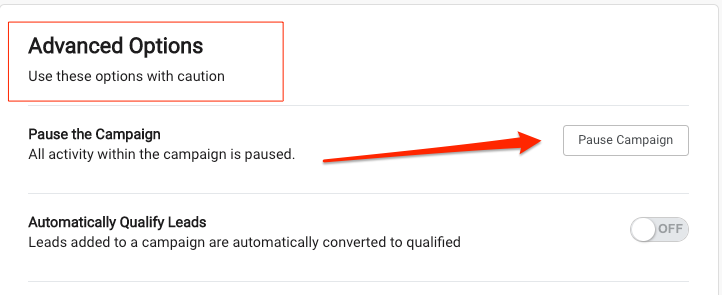 Recommended
If a campaign has no acitivity for > 90 days the system will automatically pause it and put it in your Archived list.
Follow these steps:
Campaigns > Campaigns or click on the Campaigns button.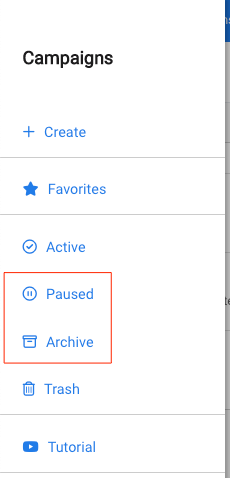
Activate Campaign.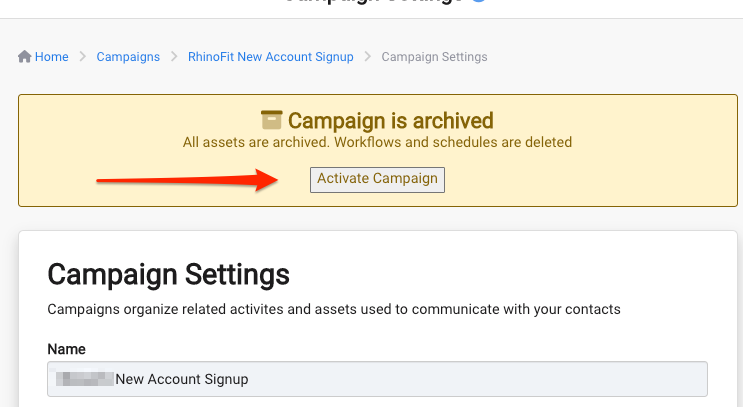
Save & Close or Save Changes button in the bottom right.