Countdown Timer widget
The Countdown Timer widget enables you to insert an animated countdown timer in your email. When the image is rendered the countdown timer displays the remaining time until an event. Once the event occurs, or has past, the timer will show 0:0:0.
For example, below is a demo version of the countdown timer that automatically resets to a future date:
The Countdown Timer in DailyStory is provided by Finalhour.io and is free for DailyStory customers.
Design options
When the widget is selected, the designer options for the widget is shown:
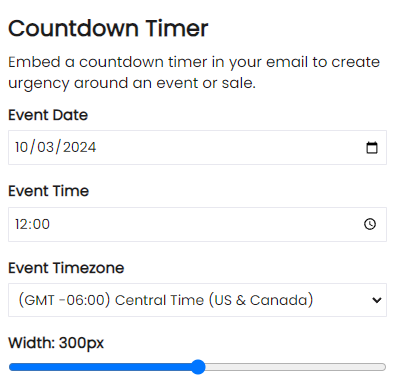
Event Date
Select a Date in the future to countdown to, such as BFCM.
Event Time
Select a Time in the future to countdown to, such as midnight.
Event Time Zone
The time zone where the event occurs. This time zone is used to calculate the time remaining until the event Date and Time.
Width
A slider to control the width of the countdown timer.
Style
In addition to the configuration options above, the background and foreground color of the countdown timer widget can be set from the Style tab.
Frequently Asked Questions
Below are some frequently asked questions about countdown timers.
Can I use more than one timer in an email?
Yes, but to use multiple timers you will need to drag-drop individual timers and set count down date and time. Copying the timer does not work.