Little Green Light is an affordable yet powerful donor management software solution built for small and mid-sized nonprofit organizations.
The integration between Little Green Light and DailyStory provides robust email, SMS and additional marketing capabilities integrated together.
Setting up the integration only requires obtaining a Little Green Light API key.
Once installed:
Little Green Light integration with DailyStory requires several steps.
First, you'll need to contact Little Green Light and request an API Key. The API Key is required to set up the integration with DailyStory.
Navigate to Account Settings > Integrations, and select Little Green Light. Enter the API Key obtained in Step 1, and click the "Save" button.
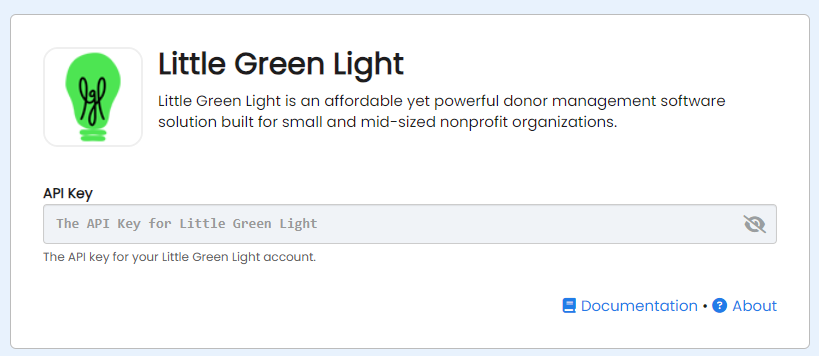
Congratulations. Little Green Light integration is now successfully configured! Data will begin importing into DailyStory from Little Green Light.
When Little Green Light integration is enabled, DailyStory automatically syncs data from Little Green Light.
RecommendedLittle Green Light sync is one-directional and data is not synced back from DailyStory.
DailyStory will sync the following standard fields from Little Green Light:
DailyStory also will automatically geocode (calculate the latitude and longitude) the contact record.
In addition to standard fields, the following Little Green Light-specific fields are synced. These fields are used for personalizing content, running automations or building segments.
| Field | Description |
| Constituent Id | The unique identifier of the constituent in Little Green Light. Accessible in personalization as profile.lgl_constituent_id. |
| Date Added | The date when the constituent was added to Little Green Light. Accessible in personalization as profile.lgl_constituent_date_added. |
| Spouse Name | The constituent's spouse's name. Accessible in personalization as profile.lgl_constituent_spouse. |
| Memberships | The memberships the constituent belong to. |
| Groups | The groups the constituent belong to. |
| Categories | The categories associated with the constituent. |
Little Green Light uses a category "Communication Tags" to manage constituent opt out status. The table below outlines how DailyStory handles various keywords found in "Communication Tags" for a given constituent:
| Keyword | Behavior |
| do_not_email | Set's the DailyStory Contact's email opt out status to true. |
| do_not_sms | Set's the DailyStory Contact's SMS opt out status to true. |
| do_not_call | Set's the DailyStory Contact's call opt out status to true. |
The following activities from Little Green Light generate loyalty points: