The DailyStory integration with Salesforce enables:
By default, Salesforce sync is one-directional: Salesforce is the source of truth and its data always takes precedence in DailyStory. Bi-directional sync of contact fields and communication preferences is supported, but is not enabled by default. It requires additional Salesforce write permissions and per-field configuration. See Bi-directional sync below.
There are several steps required to configure DailyStory and Salesforce integration. These steps are detailed below.
Platform Tools > Apps > App Manager: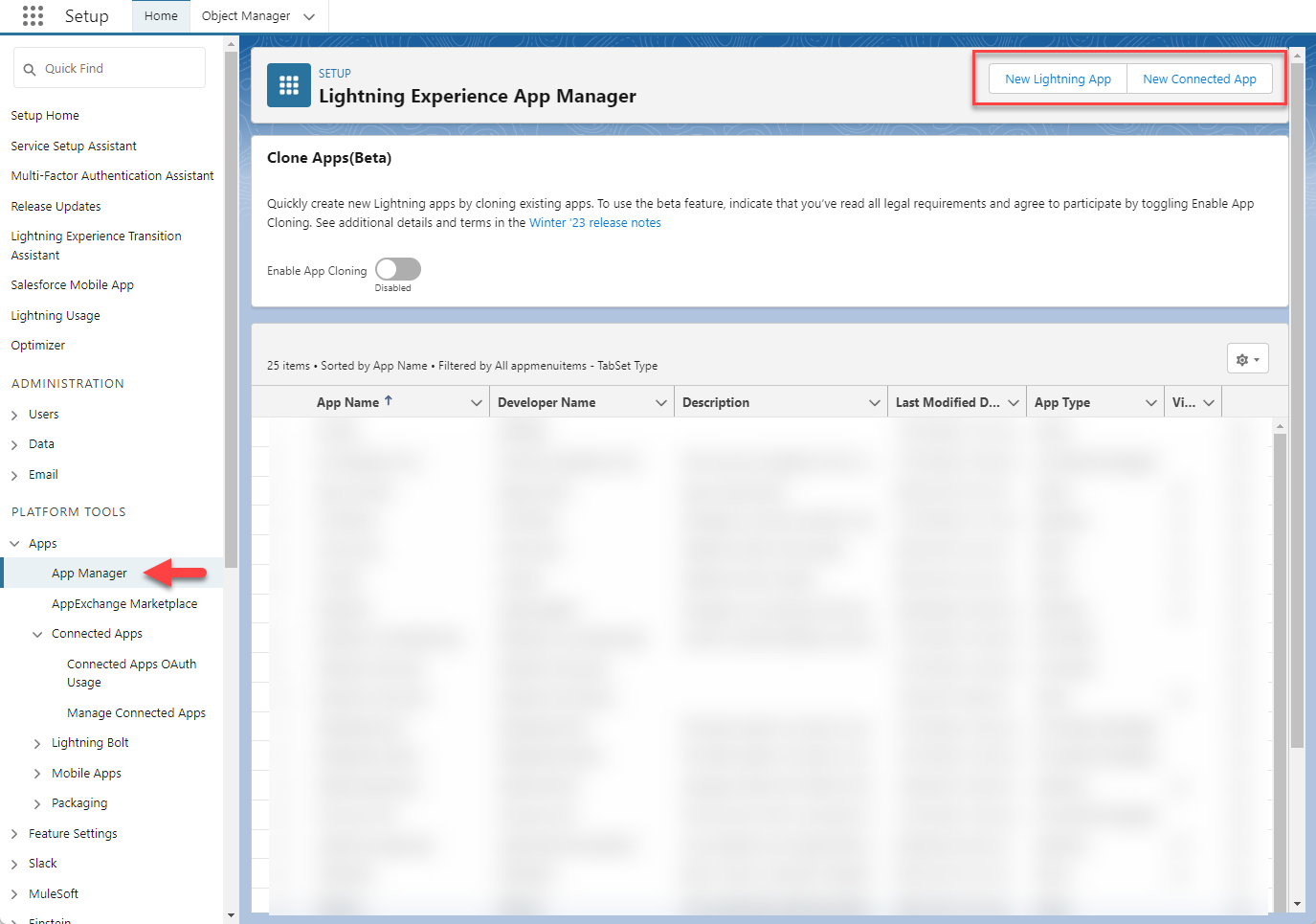
DailyStory Connected App as the name of your application.The API Name should be automatically set. If not, enter DailyStory_Connected_App as the API name.
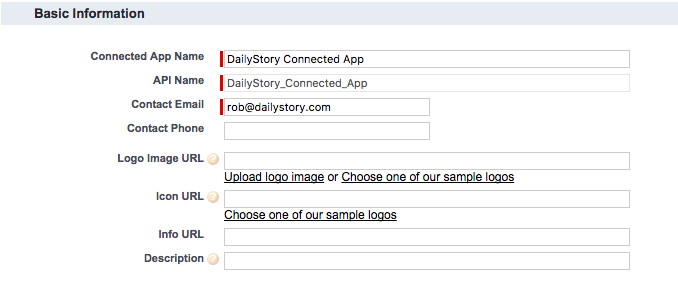
Logo image URL: https://ds-cdn.azureedge.net/files/brand/125x125.png
Icon URL: https://ds-cdn.azureedge.net/files/brand/16x16.png
Info URL: https://docs.dailystory.com/integrations/salesforce
Description: Used to connect DailyStory and Salesforce
Enable OAuth Settings. This will expand the list of available settings (see the screenshot below).Callback URL to the following value:https://app.dailystory.com/API/Public/OAuthCallback/76db0921-55f1-4283-8017-7bd6b6abcbed
Available OAuth Scopes to the Selected OAuth Scopes. This ensures that DailyStory has the ability to create leads and read other data from Salesforce.These authorization scopes ensure DailyStory has enough permission to perform existing actions, as well as for planned integrations. Write scopes are required if you plan to enable bi-directional sync.
Include ID Token, and check Include Standard Claims, Include Custom Attributes, and Include Custom Permissions.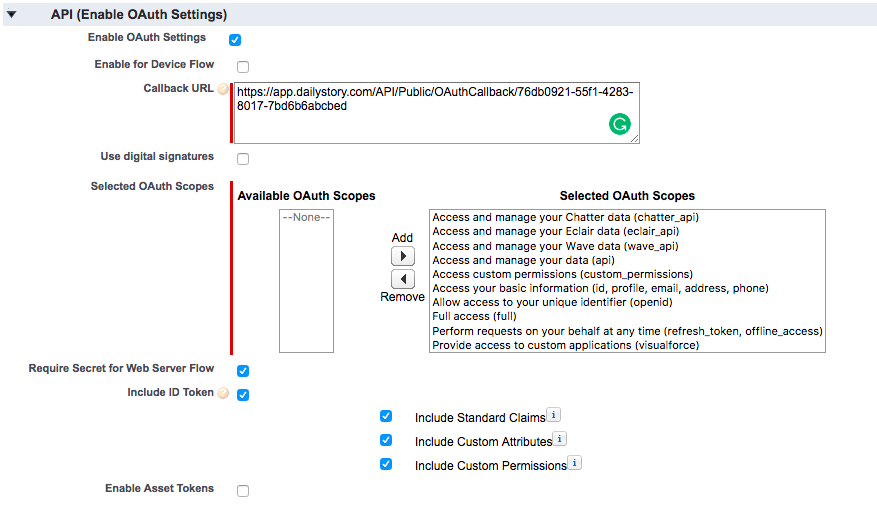
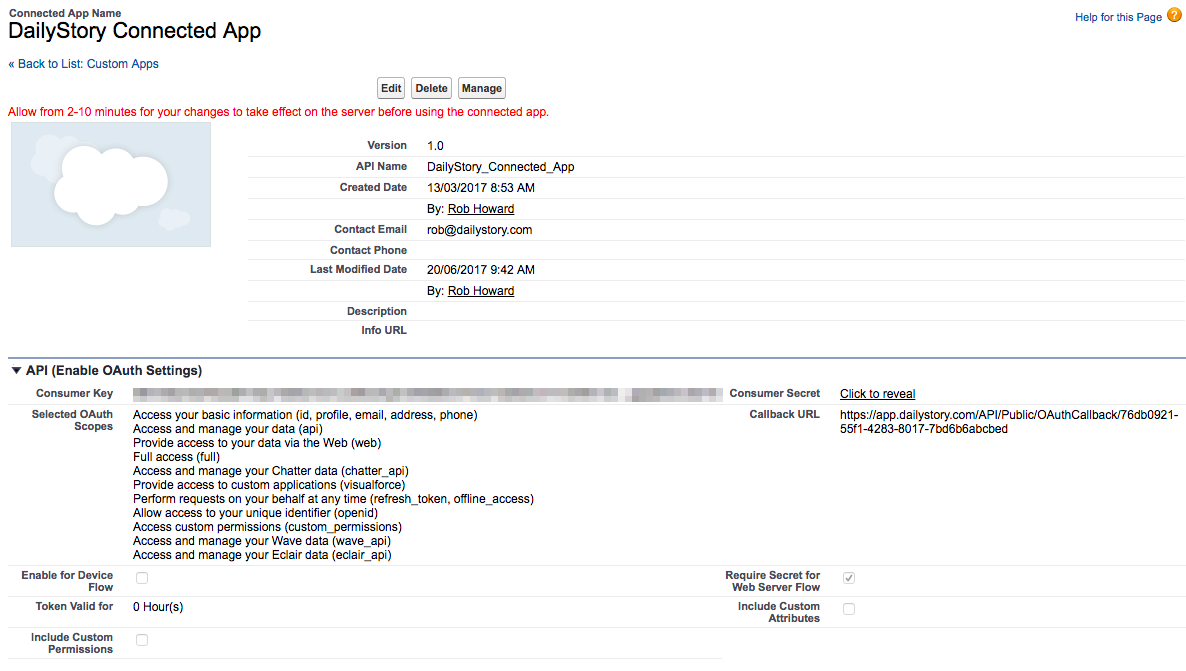
Important: The Consumer Key and Consumer Secret are required for configuring the integration with DailyStory.
The Salesforce instance key is the identifier that is used when accessing your Salesforce instance.
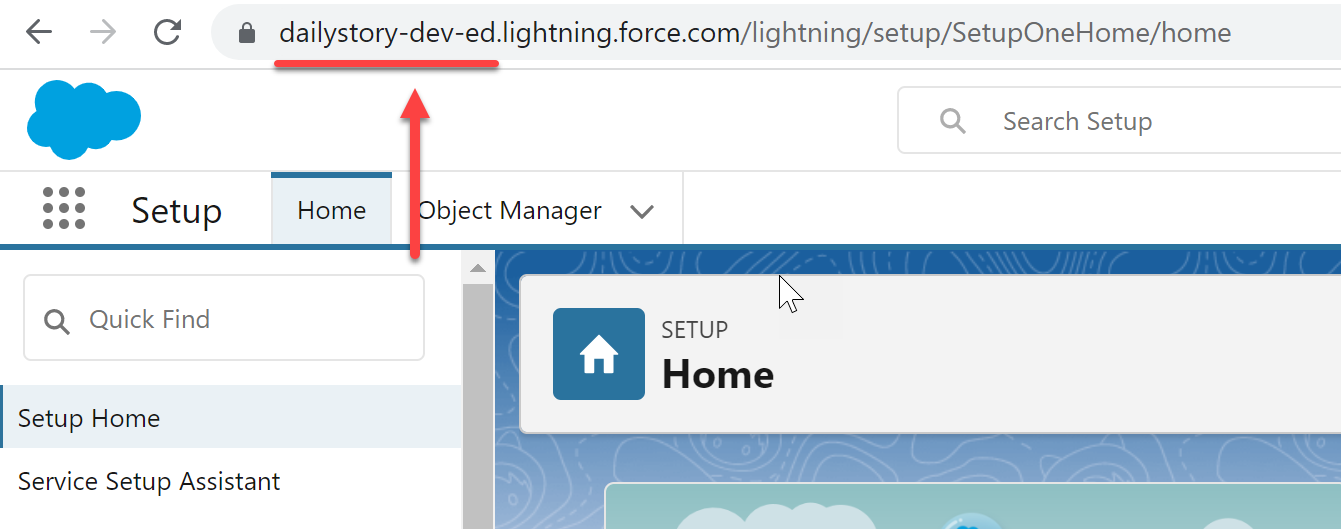
https://status.salesforce.com/
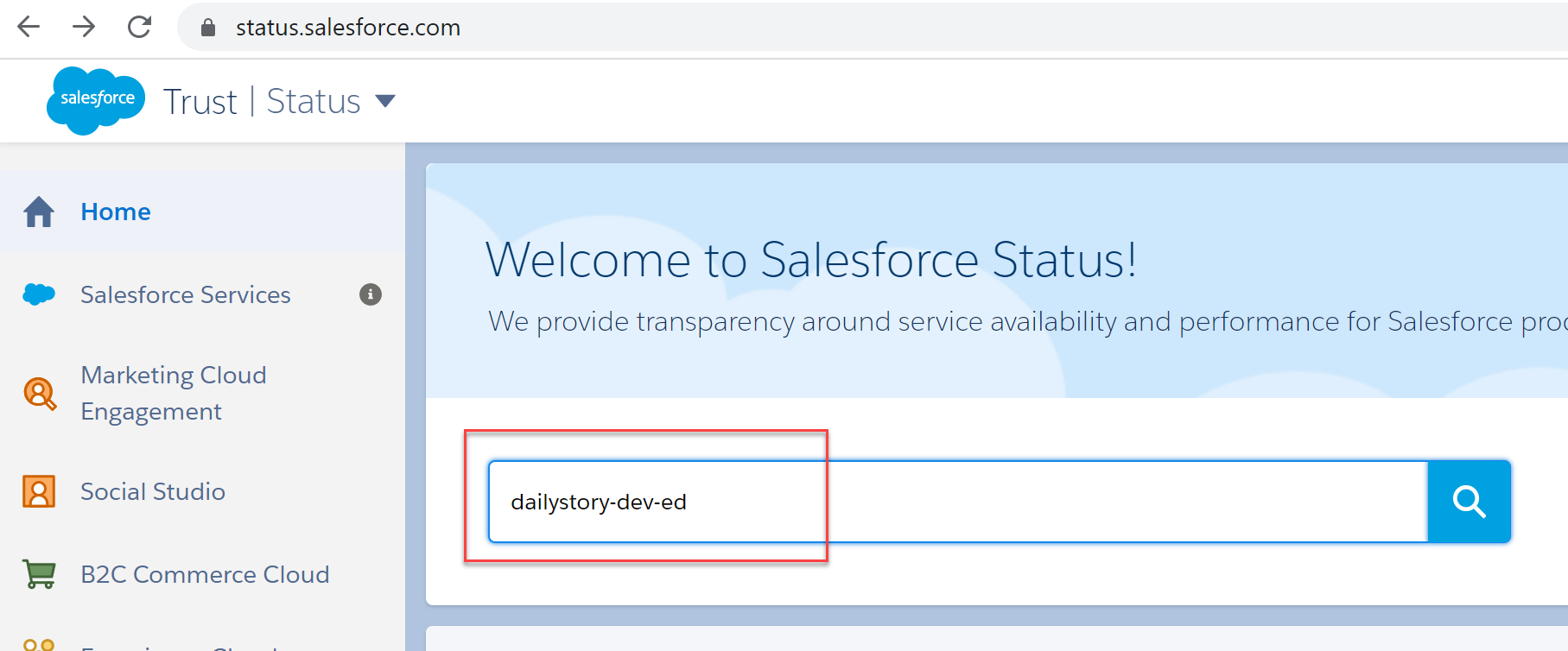
Click the magnifying glass to retrieve the results:
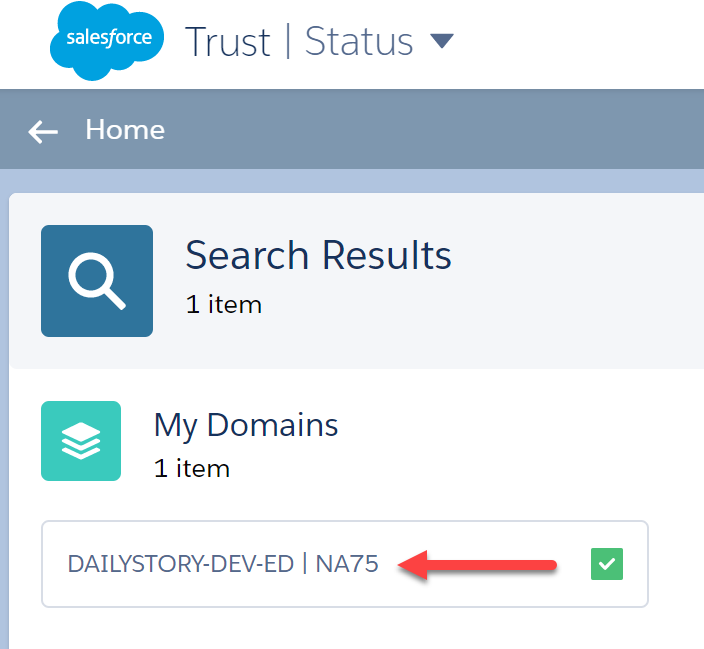
In this case the Instance Key is NA75.
Important: The Instance Key is required for configuring the integration with DailyStory.
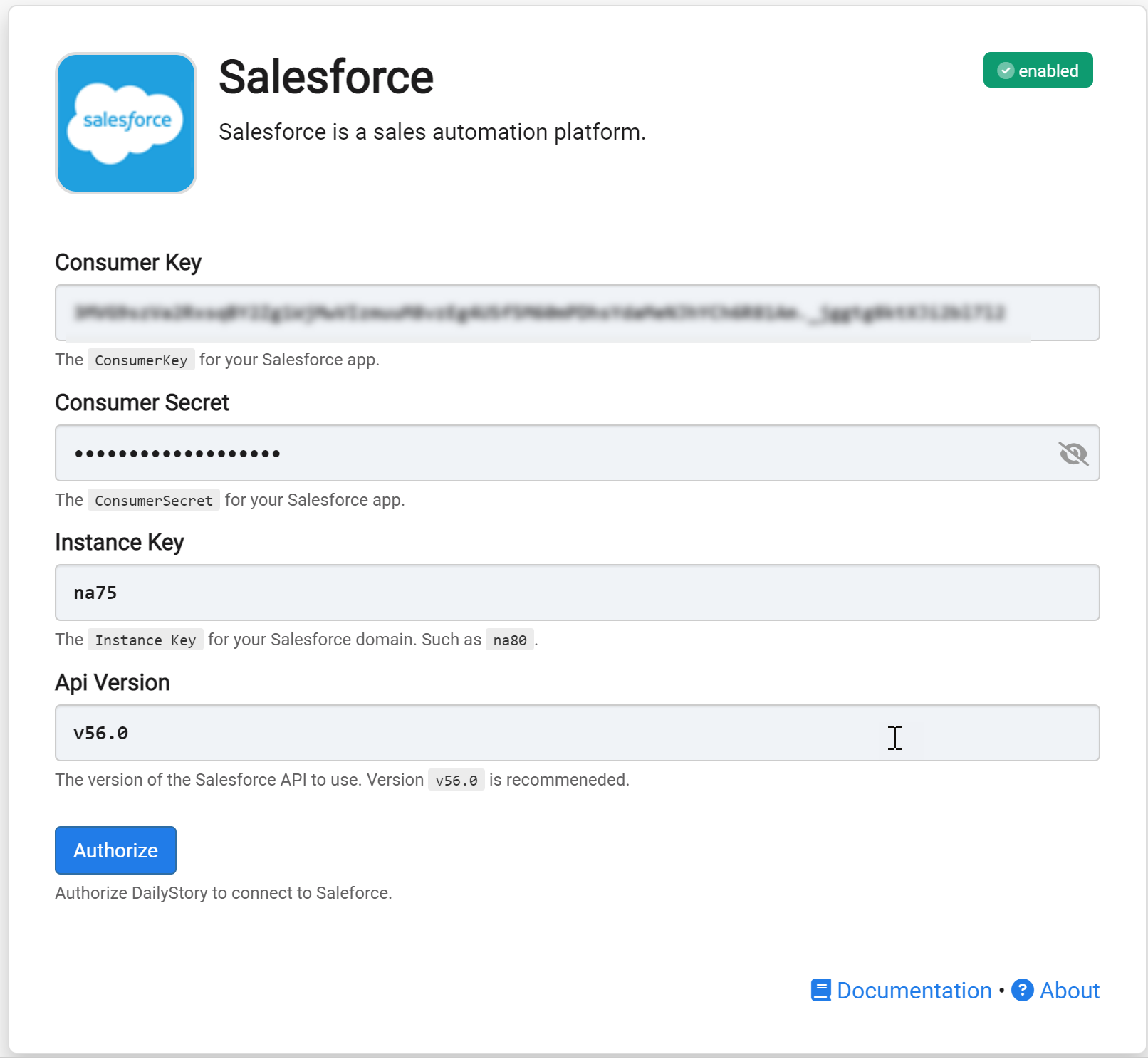
Once the authorization is complete, you are redirected back to the DailyStory Salesforce integration screen.
At this point the setup is complete and your Salesforce data will begin syncing.
When Salesforce integration is enabled, DailyStory automatically syncs data from Salesforce.
RecommendedOut of the box, sync runs one-directionally from Salesforce into DailyStory, and Salesforce data is always the "source of truth." To also write contact field changes and communication preferences from DailyStory back to Salesforce, see Bi-directional sync below.
DailyStory will sync the following standard fields from Salesforce: first name, last name, email, address, city, state, postal code, country. DailyStory also will automatically geocode (calculate the latitude and longitude) the contact record.
In addition to standard fields, the following Salesforce-specific fields are synced. These fields are used for personalizing content, running automations or building segments.
| Field | Description |
| Salesforce Id | The unique identifier of the contact in Salesforce. Accessible in personalization as profile.salesforce_id. |
| Account Id | The account id of the contact in Salesforce. Accessible in personalization as profile.salesforce_account_id. |
| Account Owner Id | The id of the account owner of the contact. Accessible in personalization as profile.sfdc_accnt_owner_id. |
| Account Owner Email | The email address of the account owner of the contact. Accessible in personalization as profile.sfdc_accnt_owner_email. |
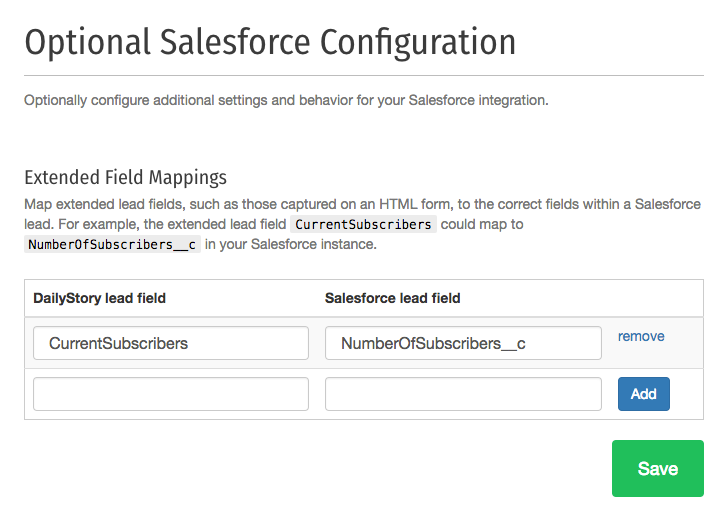
DailyStory will automatically populate common Salesforce fields that correspond to properties of a DailyStory lead, such as email address, for example.
However, if you are using a custom form or setting extended lead properties, you may want to publish these into Salesforce as well. This is precisely what the Advanced Configuration option for Extended Field Mappings does.
For example, if you are capturing values for CurrentSubscribers and you have a Salesforce custom field called NumberOfSubscribers__c, you can configure DailyStory to populate that field in Salesforce when a lead is added from DailyStory.
By default the integration syncs in one direction: Salesforce into DailyStory. DailyStory can also write changes back to Salesforce, so that updates made by your marketing team, or by contacts themselves through a preference center, a form, or an unsubscribe link, are reflected on the Salesforce Contact record.
Email engagement activity, such as opens and clicks, and campaign membership are not written back as part of this configuration. Engagement data is available through the DailyStory reporting APIs and webhooks if you want to land it in Salesforce or a data warehouse.
Map only the fields you intend DailyStory to update. Because write-back modifies records in your Salesforce org, validate the mapping in a sandbox, or against a small set of test contacts, before enabling it in production.
Salesforce remains the source of truth even when bi-directional sync is enabled. If the same field changes in both systems between sync cycles, the Salesforce value wins and replaces the DailyStory value. This keeps Salesforce authoritative for constituent and customer data while still allowing DailyStory to publish the changes it owns, such as consent and preference updates.
Sync frequency is configurable. Contact DailyStory support if you need an interval other than the default, or if a specific field must propagate to Salesforce faster than the scheduled sync.