Loyalty and Rewards Store
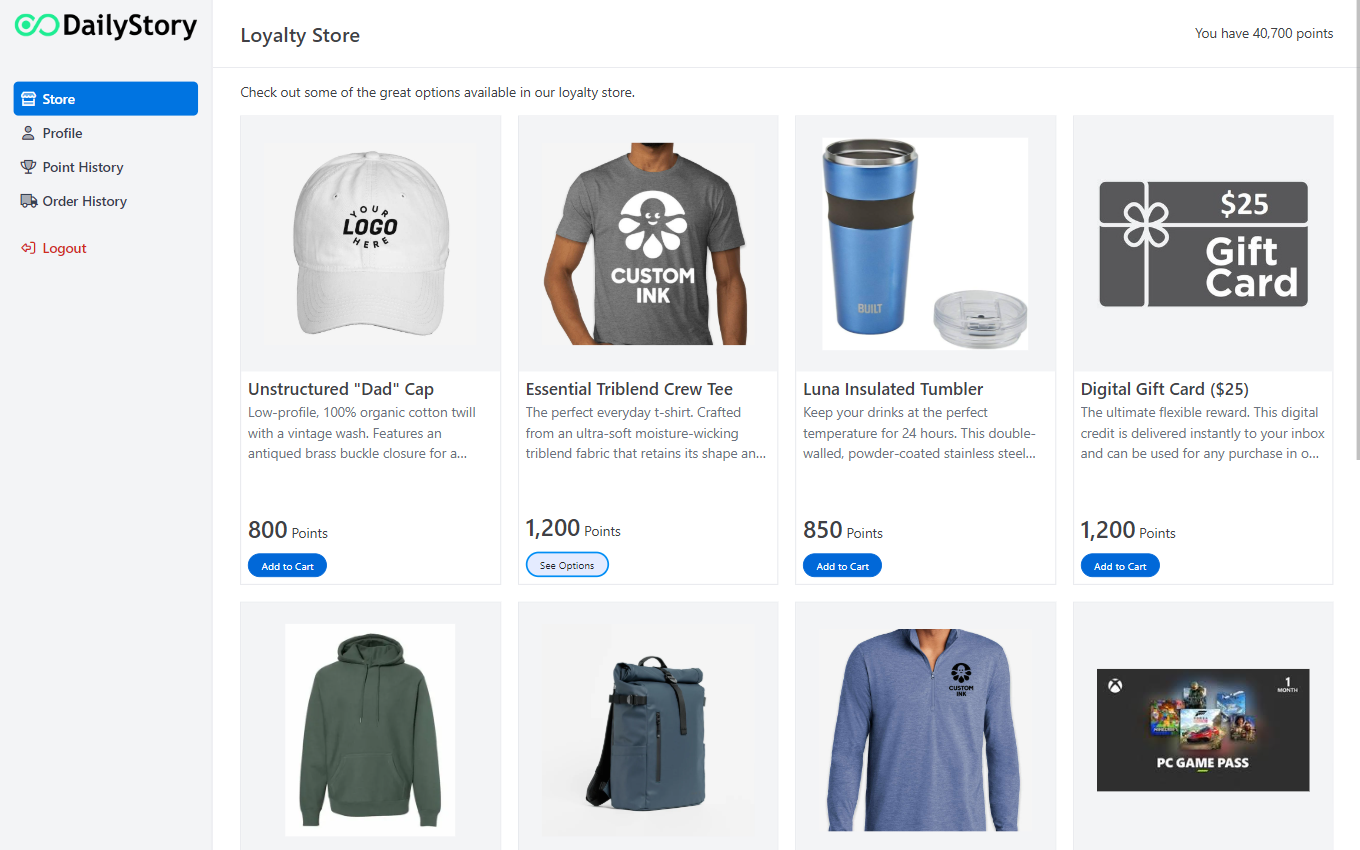
Enterprise DailyStory customers can enable the DailyStory Loyalty and Rewards Store—a pre-built storefront where users can redeem points for rewards. The store supports both digital and physical goods, all of which are managed through the Loyalty and Rewards product catalog.
You can checkout a demo of the loyalty store at https://loyalty.dailystory.com and click the Demo Store button.
Enabling the Loyalty and Rewards Store
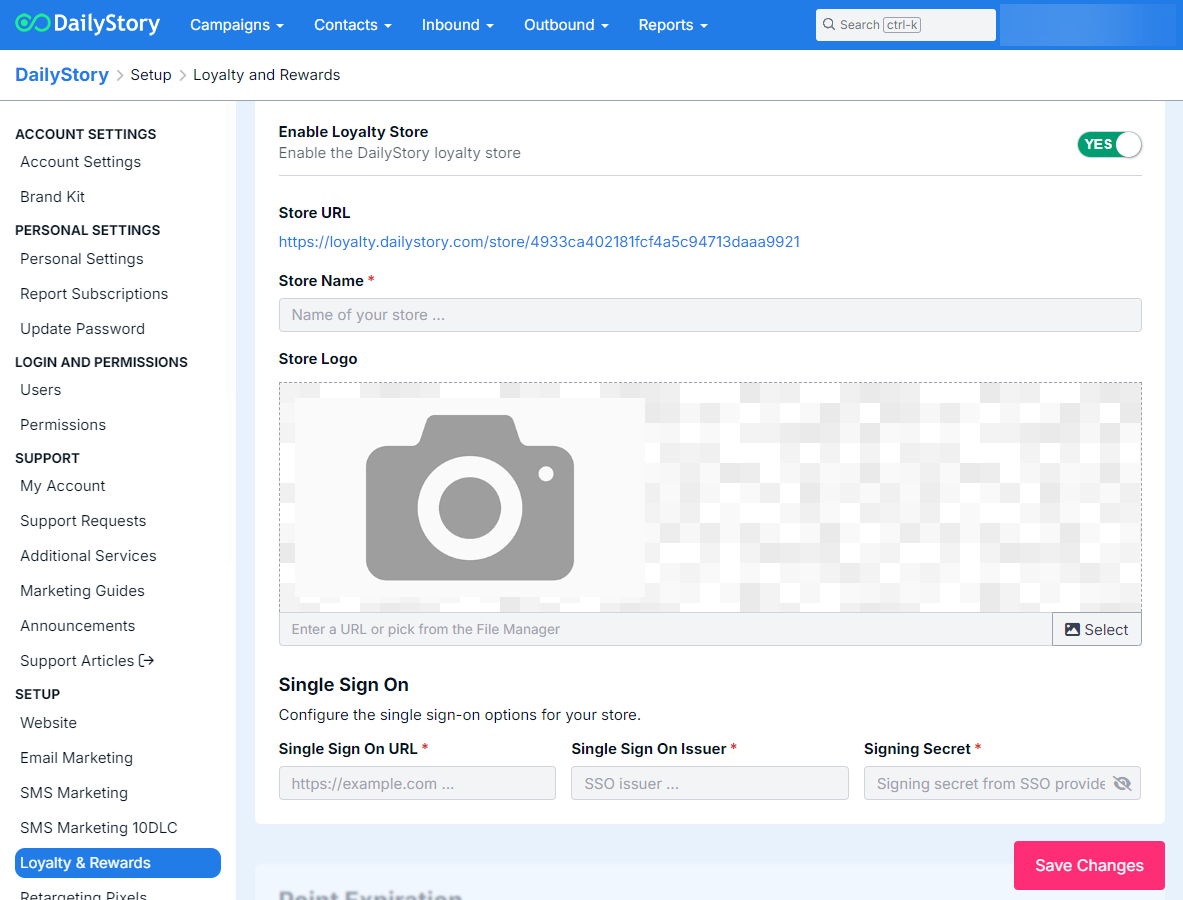
The DailyStory Loyalty and Rewards Store requires Single Sign On integration. DailyStory customers create a JSON Web Token (JWT) to validate contacts in the DailyStory system can access the store. This requires:
- Single Sign On URL - the URL where users sign in and are validated.
- Single Sign On Issuer - the name of the Single Sign On issuer.
- Single Sign On Secret - a shared secret key used by both the customer and DailyStory to validate the JWT.
Once in possession of these items, sign in to DailyStory and navigate to Contacts > Loyalty & Rewards > Manage Program. Alternatively, navigate to Account Settings > Setup > Loyalty & Rewards. Either will take you to the Loyalty and Rewards Program Management Screen:
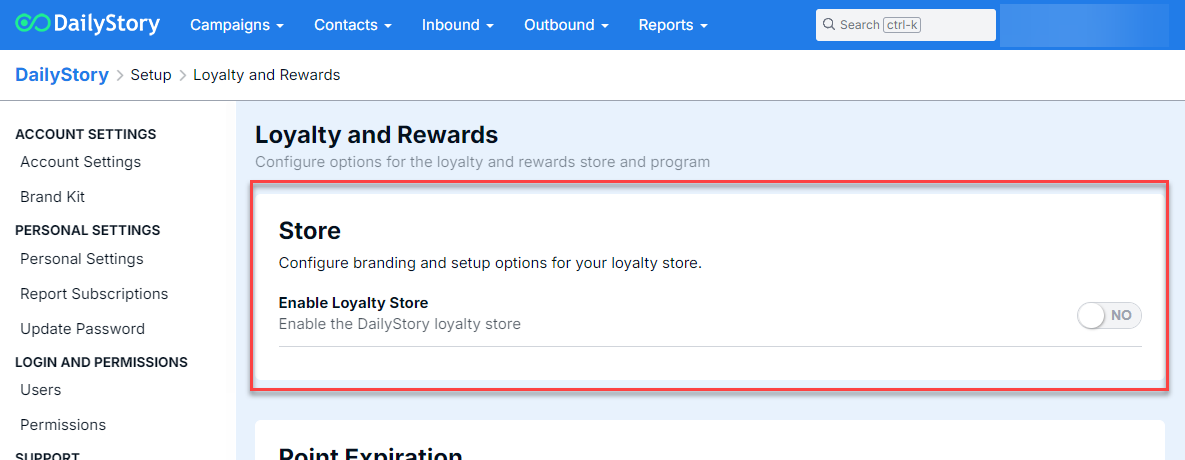
Slide the Enable Loyalty Store toggle to on and complete the required fields: