Archiving a campaign happens automatically by the system when the campaign has not been used in over 180 days. When a campaign is in archive status, all assets and automations are paused. Archiving a campaign will also flush all of the contacts, and they will no longer be dynamically updated.
To remove a campaign from it's archive/paused status, follow these steps:
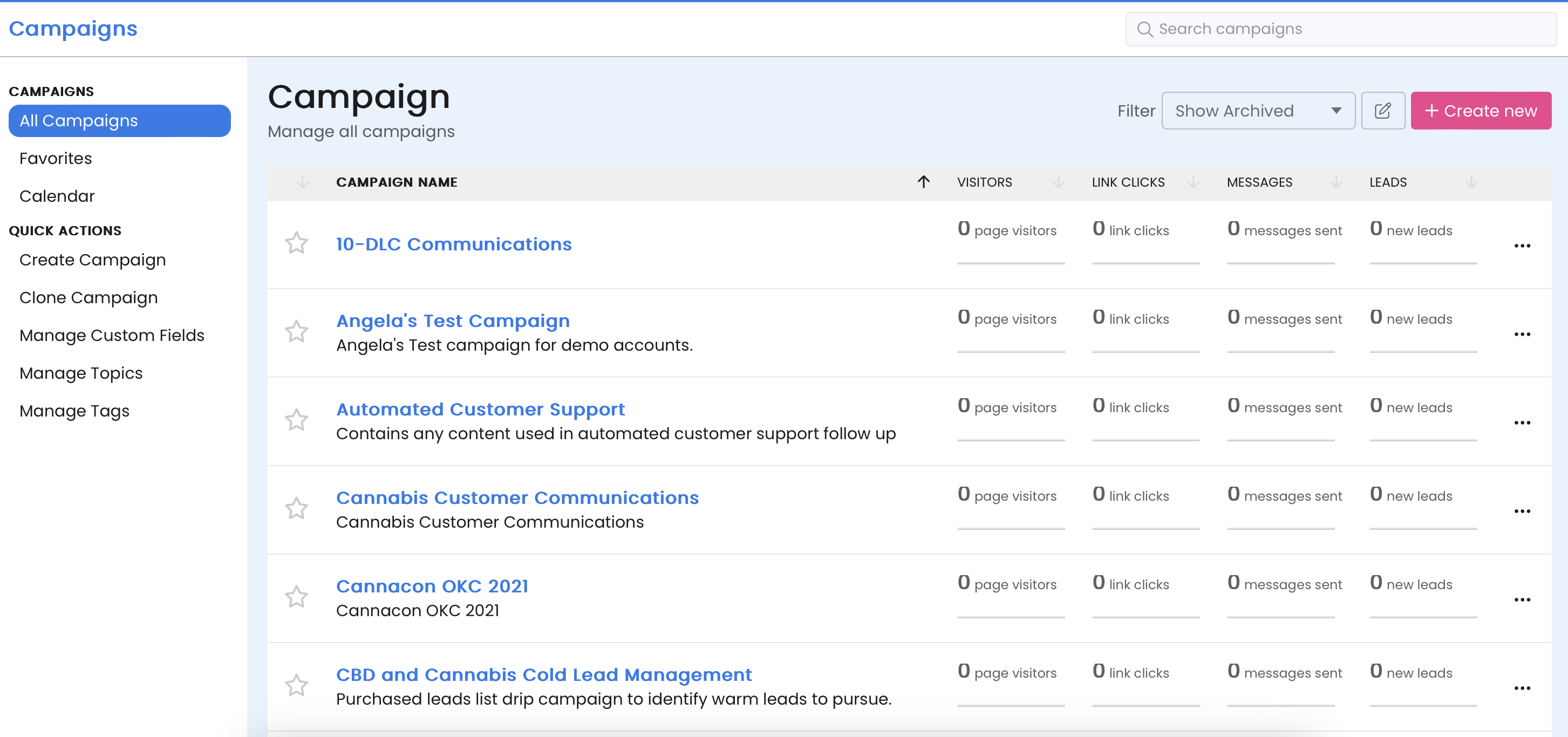
Campaigns > All Campaigns.Show Archived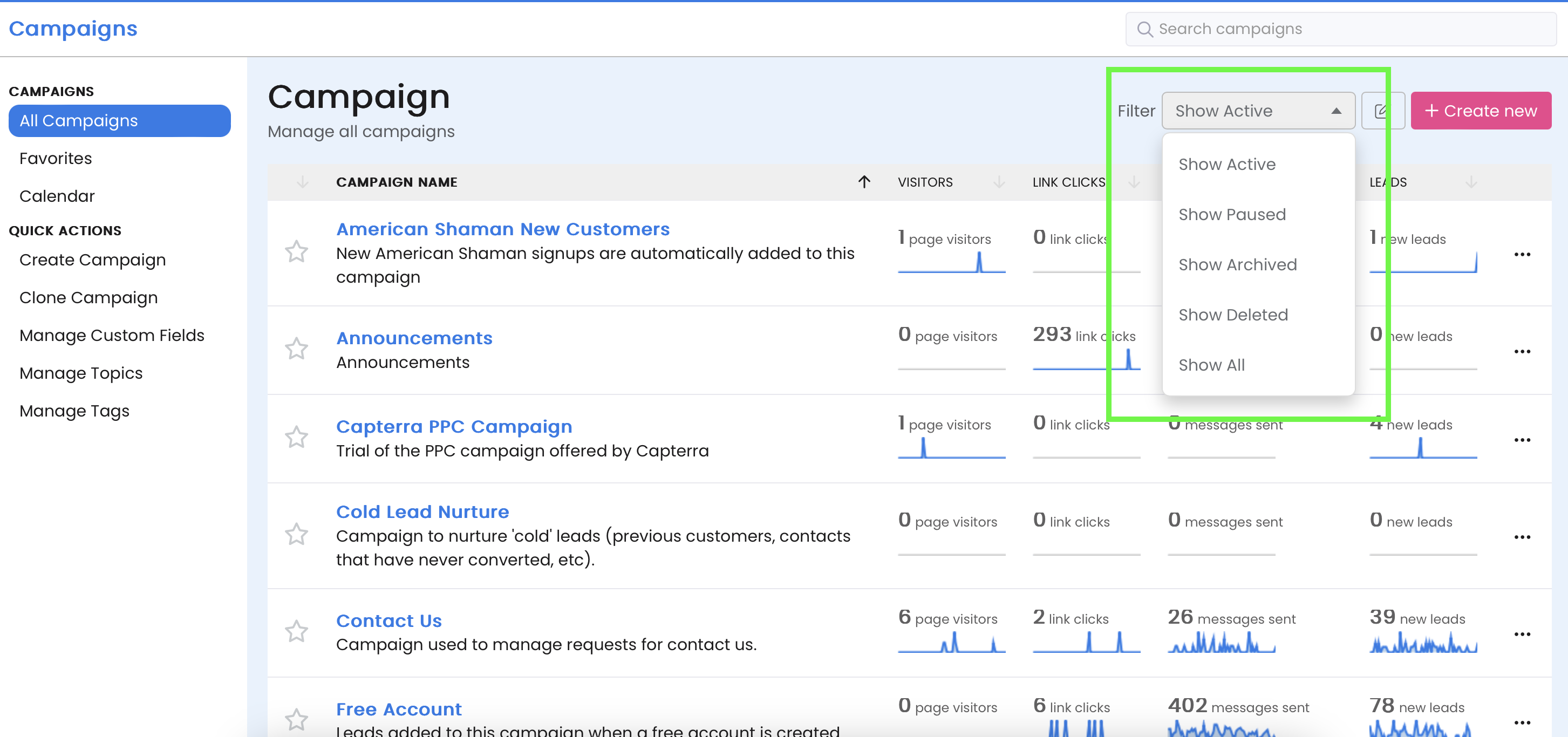
Activate Campaign button.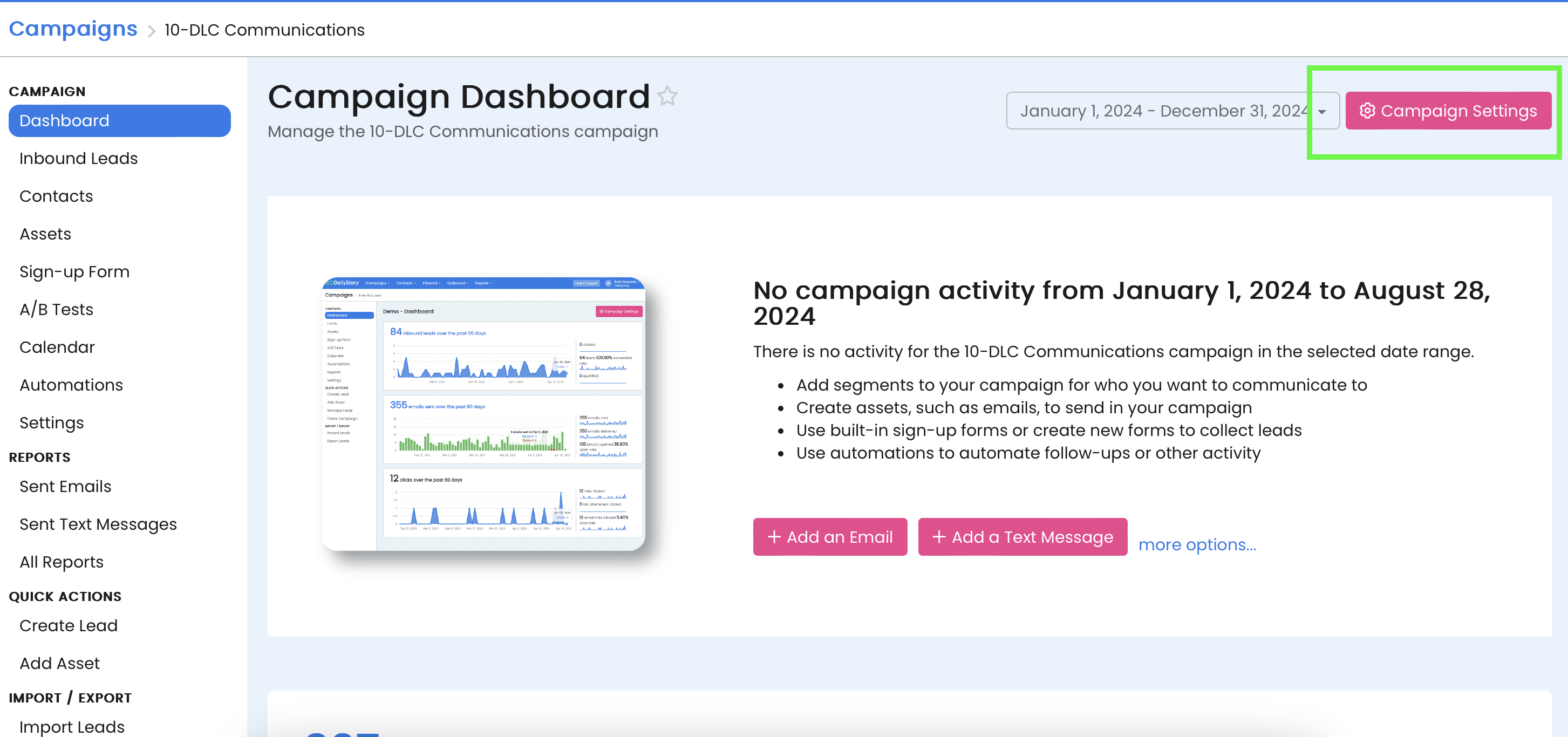
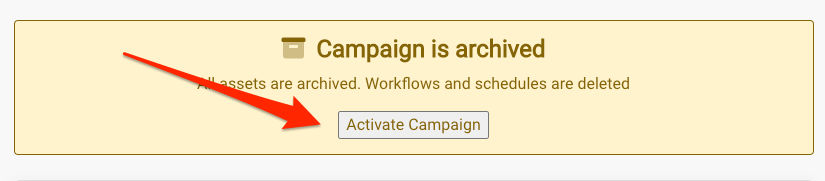
Save Changes or Save & Close.