QR Codes
QR Codes, or "Quick Response Codes", are types of barcodes that can easily be scanned by a mobile phone or other reader. They are a powerful tool and act as a bridge to connect physical and digital marketing.
If you have customers visit any sort of physical location or run marketing, such as commercials or ads in print, QR codes are powerful tool to help your customers find your website or subscribe to your content more quickly.
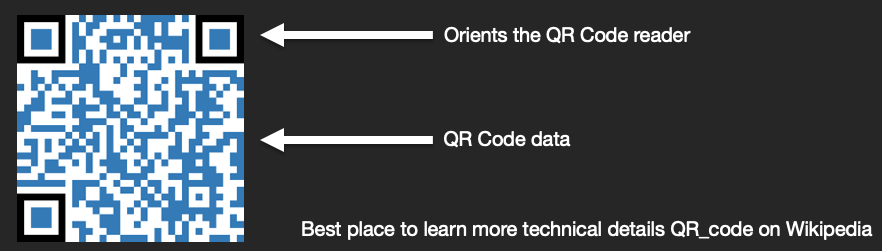
How it works
What QR Codes can store
- Text - any plain text
- URLs - will open the URL when scanned
- Phone number - will call a number when scanned
- Email - will compose an email when scanned
- SMS message - will compose an SMS when scanned
- Contact vcard - will load contact details
- And more - WiFi, GEO locations, proprietary data, etc.
Why use a QR Code
- Scanning is easier than typing
- QR codes are contactless
- Similar to link tracking, you can track QR Code URL scans
- Digitize traditional marketing: email/text, flyers, email, etc.
- Supported by nearly all modern mobile phones now
After you have created your QR code, you can swap out the destination URL anytime.
Examples of where to use QR Codes
There are many places and reasons to use QR Codes for your marketing. Here are a few ideas to get you started:
- Retail store / location / event - message alerts, newsletter signups, menu, download your app, grab name tag details.
- Print Marketing - scan to get a coupon, more information, download your app, scan to call.
- Digital Marketing - scan for discount, to opt-in to SMS or email, scan to call, download our app, webinars.
- Personalization - using your customer's first name, etc.
- Visuals - the use and placement of images, icons and emojis.
- Call-to-action links - buttons or text, placement, wording, size and coloring.
Finding your QR Codes
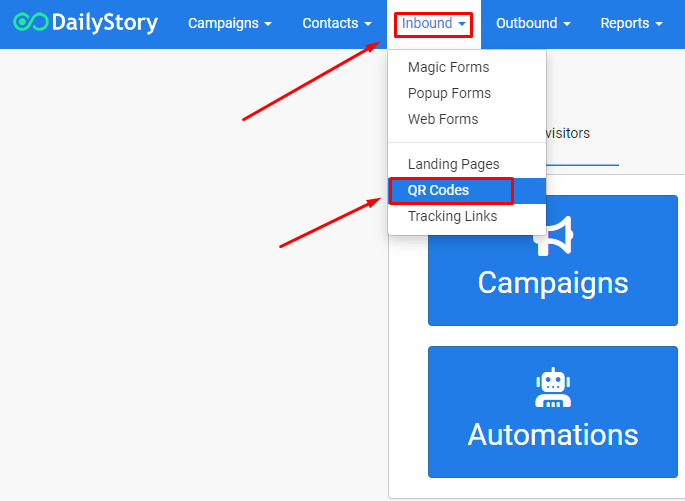
You can navigate to your QR Codes page from the home navigation menu Inbound > QR Codes. This page displays all of your created QR Codes for both email and text messages.
QR Codes page layout
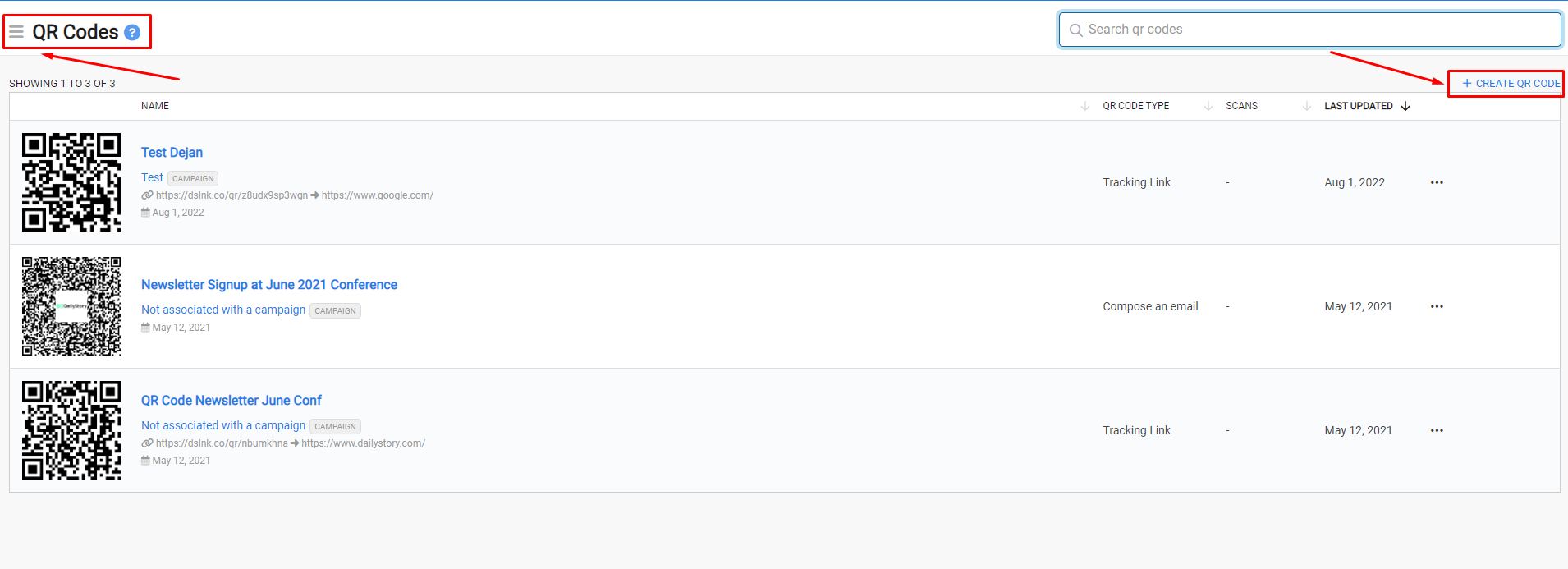
Your QR Codes page will display all of your created QR Codes across the platform. From the top of the page you can access the QR Codes Menu (3 lines/hamburger menu) to create a new QR Code, access your deleted QR Codes in the trash or access our help docs.
From the itemized list, you can see the type, number of scans, last updated date and what campaign it's associated with. To edit or access one of QR Codes, just click on the title. You can also create a new one by clicking on the + CREATE QR CODE link.
Using a QR code in print
If you plan to use a QR code in printed material we recommend using the highest possible resolution.
The default resolution is set to 1000 x 1000 pixels (equivalent to 300 DPI). However, you can scale the resolution up to as high as 2000 x 2000 pixels.
The downloaded image type is a PNG. A PNG image is lossless, which simply means that when it is resized it does not lose any of the information about the image. If the image is saved later as a JPG and resized, this can cause the image to blur; as a JPG is lossy compression.
When editing a QR code for print, we recommend using Photoshop or another photo editing tool to ensure the QR code image is properly scaled.
Creating a QR code
There are several ways QR codes are created in DailyStory.
- Using the QR Code builder
- From a Tracking Link
If you want to be able to track the number of scans associated with a URL, stop here and create the QR Code from a tracking link. Once you create a QR Code from the code builder, you can’t associate it back to an existing trackable URL link.
Creating a QR code using the QR Code builder
- From the navigation menu, click on
Inbound > QR Codes. - Click
+ Create new Assign the QR Code to a campaign.- Give it a friendly name.
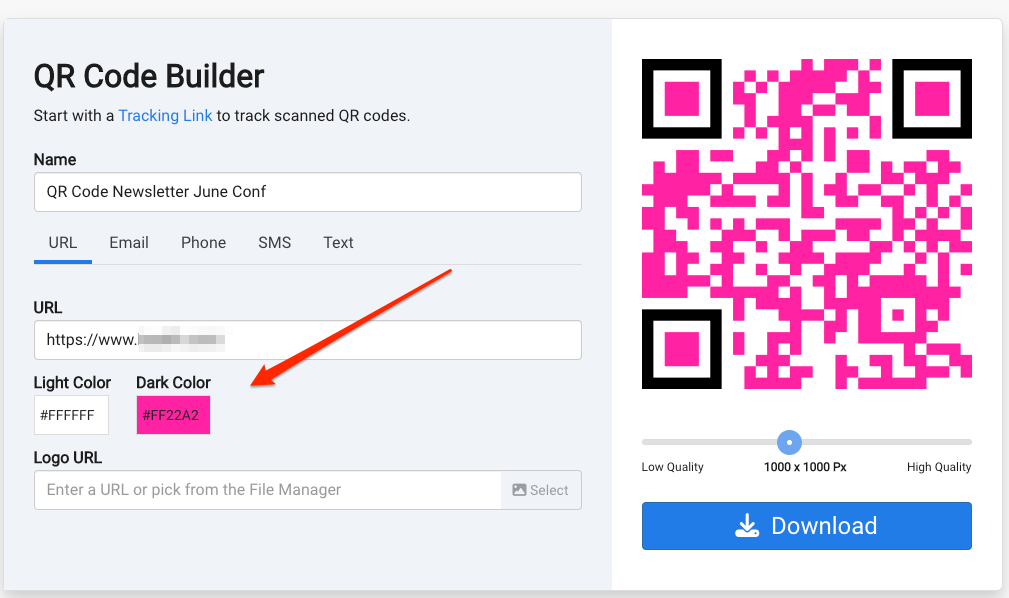
- Choose what type of data you want the QR Code to store and activate.
- URL: opens their default web browser and opens the assigned URL.
- Email: creates a ready to send email with a To, Subject and Body from their email.
- Phone: calls the loaded phone number.
- SMS: creates a ready to send text message to the number you choose from their phone.
- Text: custom text content.
- Optionally, you can choose to add your logo and adjust the QR Code's image resolution quality and even customize the color!
- Click
Save Changesand download your QR Code to start using in your marketing!
Automatically create a QR code from a URL shortener
In order to be able to track the number of scans from a QR Code, you will want to create the QR Code from a URL Shortener. So, you must create the URL Shortener first.
To create a URL Shortener, navigate to Inbound > URL Shorteners. From here you can either enter a URL and press return or click + Create in the main URL Shortener menu and create a new shortened URL.
URL Shortener automatically includes a QR code
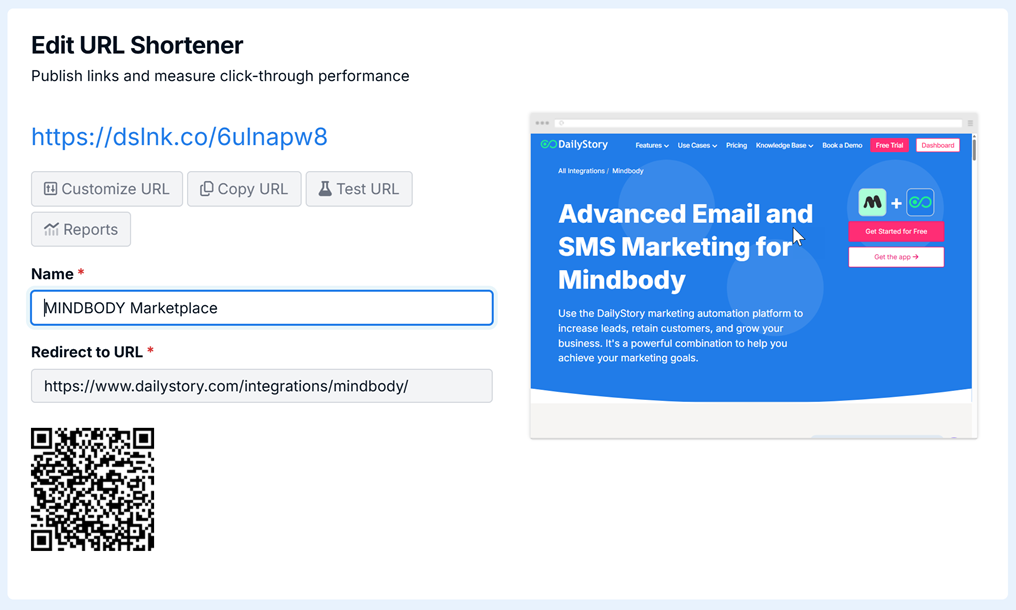
Once you click Create the editor will generate the URL Shortener and a QR Code.
When people scan your QR Code, they will be redirected to the Destination URL.