Updating a custom field pick list
Custom fields configured as pick lists or text allow you to populate suggested options when using the field in search.
For example, when using the Mindbody custom fields such as Mindbody Status and Mindbody Services are created:

When using search, these fields have options that can be chosen from:
 Recommended
In addition to selecting an option, you can also type in a value if you cannot find the value in the pre-created list.
Many integrations that create associated custom fields will automatically keep the related pick lists up-to-date. However, items in the pick lists can be added or removed too.
Adding or removing items from a pick list
To manage your pick list items, click on a field in the list of fields on the Manage Custom Fields screen. This will open a window:
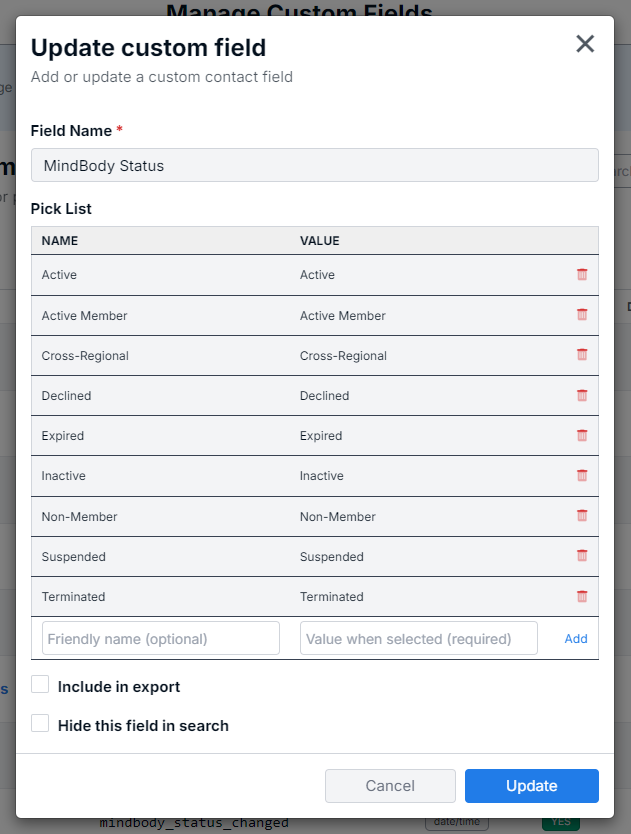
Remove a pick list option
To remove a pick list option, click the trash icon next to the option to remove.
Add a pick list option
To add a pick list option, enter the name (Friendly name) and value and click Add.