The Text Message Report provides a summary of all messages sent along with details for each message. Individual responses to a customer's query via DailyStory are free.
Review how to navigate to the text message replies report with our video tutorial (below) or keep scrolling for more in-depth instructions!
You can find the Replied Report by navigating to Reports > Text Messages .
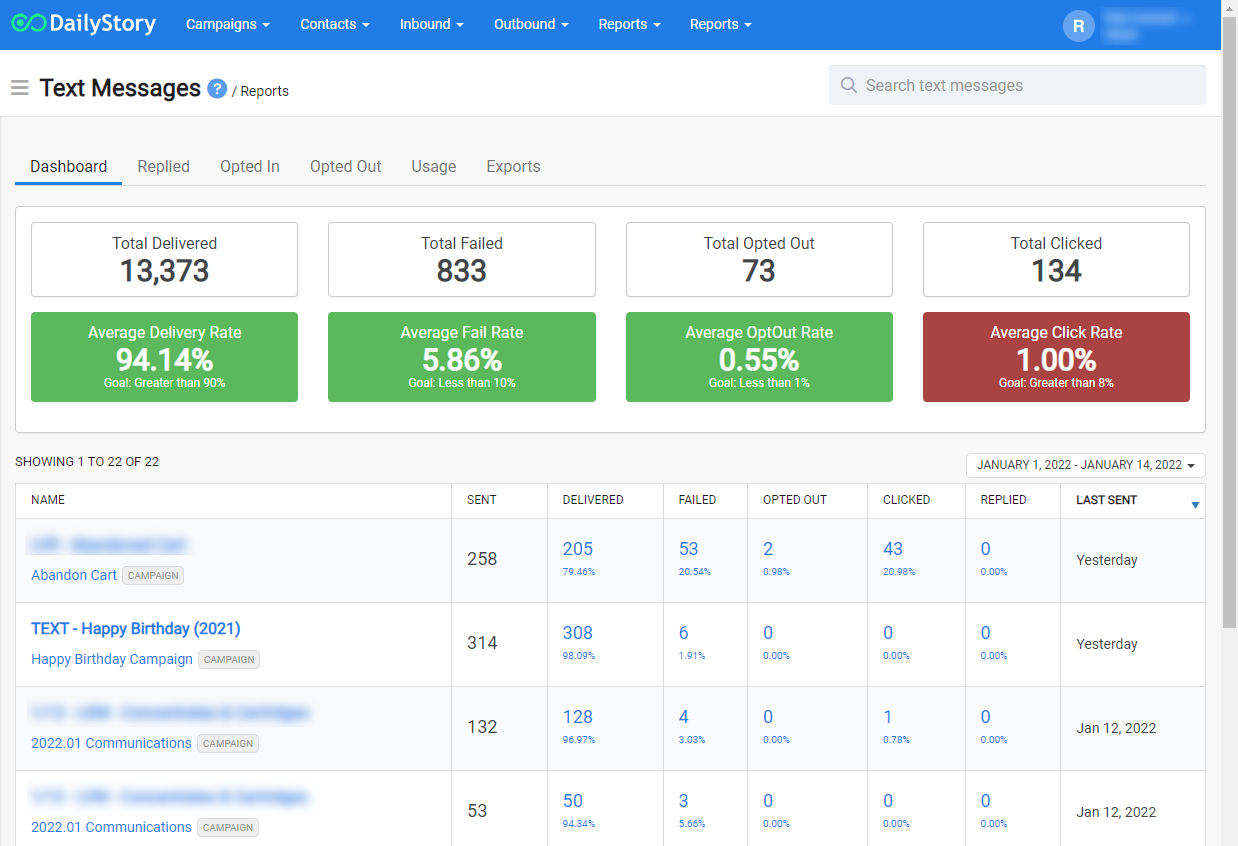
The report provides an aggregate view of all messages sent in the specified time frame.
The tabs at the top provide additional aggregate views:
Clicking on an individual text message provides a detailed view of the selected message:
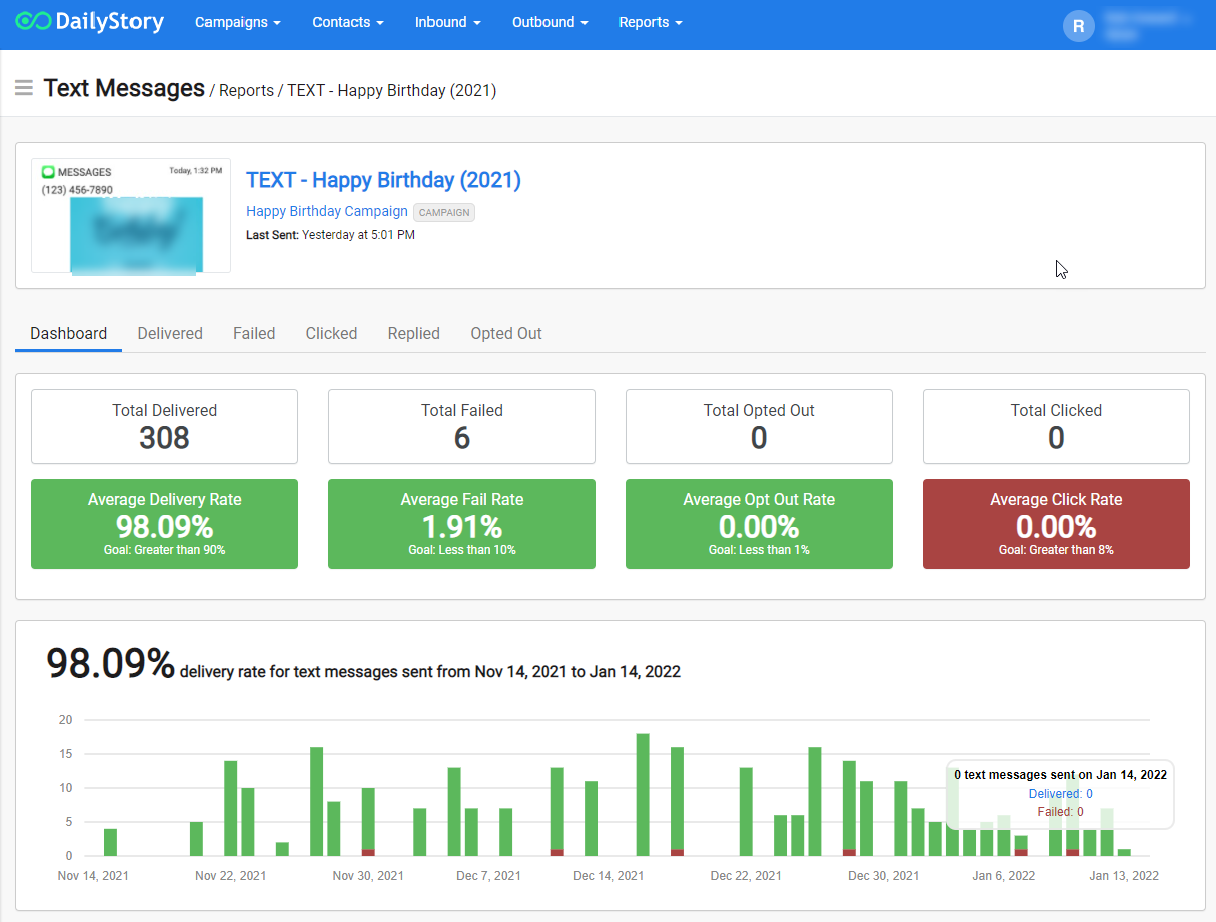
Within the detail view are additional reports:
Replies to a text message cost $0.