
Many brands use DailyStory to send newsletters to their customers. Often, they want to archive these newsletters on their website or make them publicly accessible so people can view past issues.
DailyStory supports a feature to auto-publish and provides APIs in case you want more control over how the content is shown. For the purpose of this tutorial, we'll examine how we do this for the DailyStory Newsletter.
There are three ways you can publish your email on your website with DailyStory:
In this tutorial, we'll examine all three options.
When creating an email in DailyStory, one of the Advanced Options is to enable "Web View." When Web View is enabled, it does two things:
For any common personalization tokens, such as first name, the test contact data is used for these tokens.
Below is a screenshot of this setting in Advanced Options for enabling an automatic email newsletter archive:
Once enabled, click on the "Use this URL" link. For example, here is the publicly shareable URL for DailyStory's September 2024 newsletter:

At the top of the page is a link with the subject of the email, e.g., "Tips and New Features from DailyStory | September 2024." Clicking that link will take you to an archive page that lists all past published emails.
WarningThe emails must have Web View enabled to show up in this list.
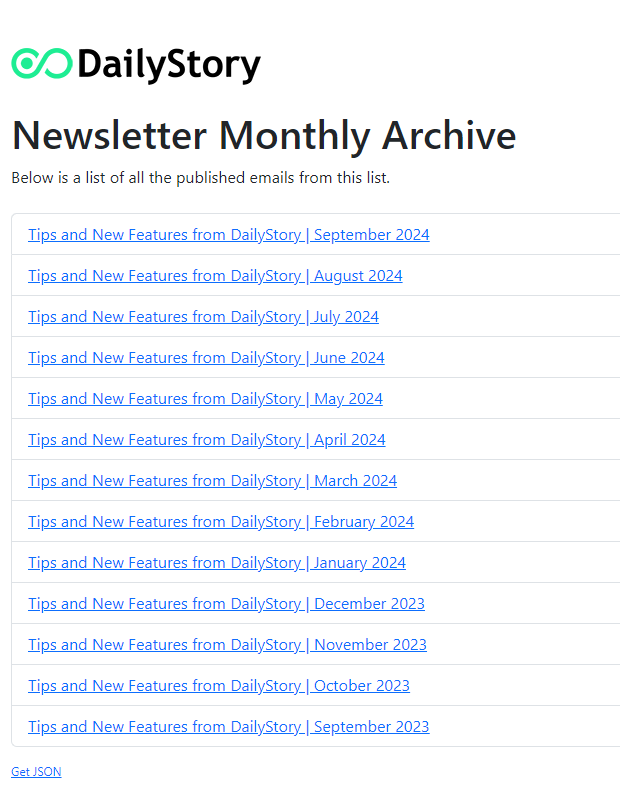
This allows all published newsletters to be easily accessible. However, you may want better control over the UI of how this list is displayed. To accomplish this, we'll write some custom JavaScript and HTML.
The list of all emails for a given campaign that have Web View enabled is also accessible as a JSON array. When viewing the archive page in the steps above, you'll find a 'Get JSON' link in the footer of the page.
Using our example of the DailyStory newsletter, here is what that JSON looks like:

The API only returns the path of the URL. This is because some customers host with custom domains.
Using this JSON, we can write JavaScript to read this endpoint and render a list.
Below is a screenshot of how we've done this for the DailyStory site (you can view the source to see the exact JavaScript):
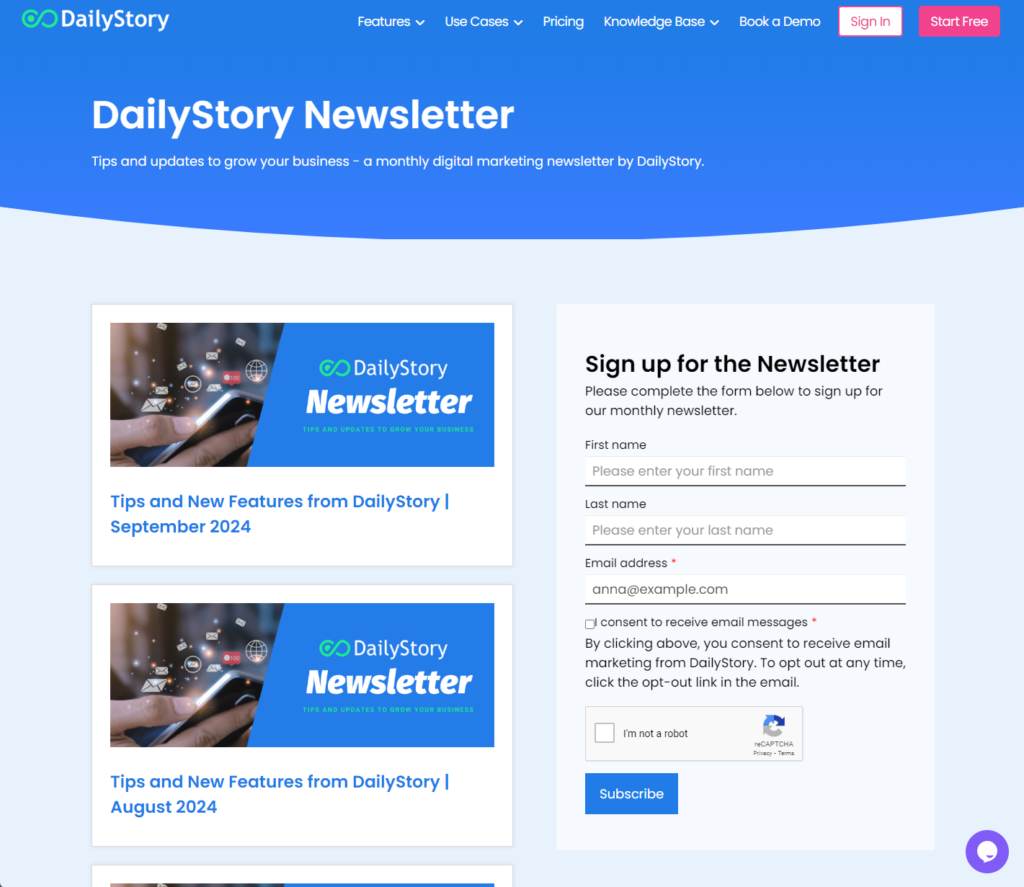
In this example, the URL for each of the cards links to the publicly shared URL. However, we could also export the HTML and host it directly if we wanted to as well.
The final and most advanced option gives you full control over exactly what you want published.
The use case here is when you want to publish your email newsletter on your website directly, or if you don't want DailyStory to publicly host a page with your email content.
To get the raw HTML of your email, navigate to the Advanced Options in DailyStory for that specific email:

Click the "Export" button to export the raw HTML of your email. You can then post this HTML directly into your own content management system.
WarningSome editing of the HTML may be required.
Publishing a newsletter archive with DailyStory's email marketing capabilities is easy. Creating web-accessible versions of your emails is just as simple to set up, with both automatic and custom choices available.