When running campaigns you may want to exclude some contacts from receiving messages. For scheduled messages this is easily accomplished with the exclude option used to exclude members of a segment (see #2 below):
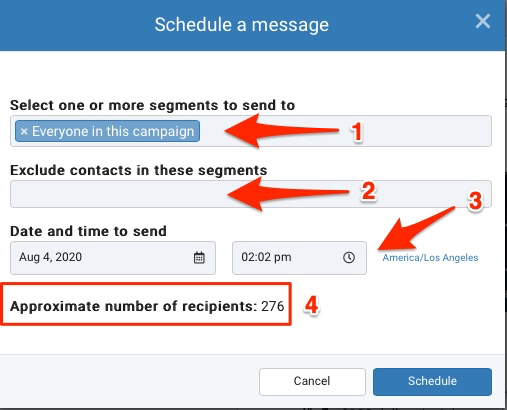
There are several ways these exclude segment can be built.
Follow the same instructions for building a dynamic segment, but specify search criteria for people who should be excluded from your messaging.
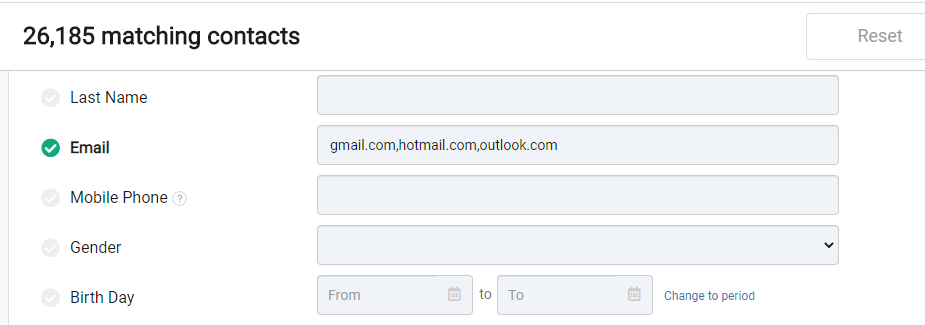
For example, to exclude contacts based on their domain simply specify a comma separate list of the domains to exclude. In the example below a dynamic segment is built to exclude 26,185 people who have an email address of gmail.com, hotmail.com or outlook.com:
Another common way to build an exclude file is to create a CSV file with a list of the email addresses to exclude and import that as a new segment.
Tagging contact records is a great way to help organize contacts into related groups such as "Customers". Then, if you want to exclude all customers it's really easy to create a new dynamic segment of customers and use that as the exclude segment.