Popup forms
A DailyStory Popup enables you to display a popup window in a web or mobile experience. Popups are a great way to capture signups for newsletters, offer discounts to new visitors, or attempt to persuade someone not to leave your website.
Popups can be shown on specific pages, configured to automatically show after a certain amount of time has passed, when the visitor first arrives, or if the visitor is leaving the site.
RecommendedEnsure that you have integrated with your website to ensure your pop displays correctly.
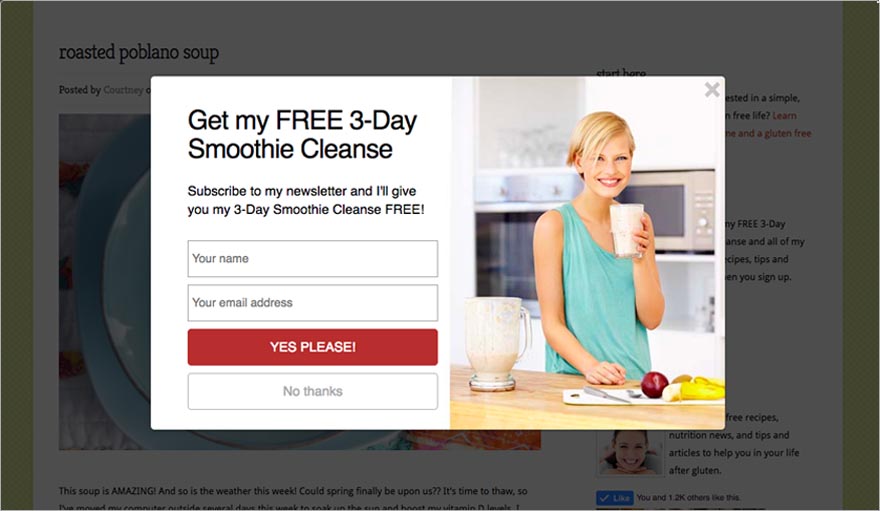
Read more about the benefits of DailyStory Popups at dailystory.com.
You can create a popup from within a campaign or from your all Popups home screen.
From within a campaign
Creating a popup from the campaign automatically assigns the new popup to that campaign.
- Click on the Assets tab.
- Click on
+ Create new button. - Select
Add a Popup.
You can also create a popup on the page that lists all the popups.
- Navigate to
Inbound > Popup Forms from the navigation menu at the top of your screen. - This will show you a list of all the existing popups. To create a new popup, click
+ Create Popup.
- You will be asked to assign the popup to an existing campaign or create a new campaign.
Below are some tips and recommendations for designing your popup.
A popup typically has 2 types of interactions:
- Call to Action - the Call to Action (CTA) can submit a form, such as a newsletter signup, or navigate to another page. This is the primary objective of the popup offer: get the person viewing the popup to take some kind of action.
- Close / Dismiss - the Close or Dismiss button closes the popup and may navigate the user to another page or simply disappear.
More advanced popups introduce nuances for dismissing the offer:
- Close, but remind me later - the visitor dismisses the popup but indicates that they would like to receive the popup again in the future.
- Close and ignore - this enables the visitor to dismiss the popup and to never show it again.
These types of popup interactions are important because DailyStory tracks these choices and enables you to test which converts best.
DailyStory tracks several metrics related to popups:
- Impressions - the number of times the popup is shown to visitors.
- Ignores - the number of times no interaction with the popup takes place even though the popup was shown.
- Call to Action click - the number of times the call to action is clicked.
- Dismiss click - the number of times the dismiss button is clicked.
These metrics are shown in the reports for your popup.
To configure a popup, you will find options grouped on the right side of the popup editor:
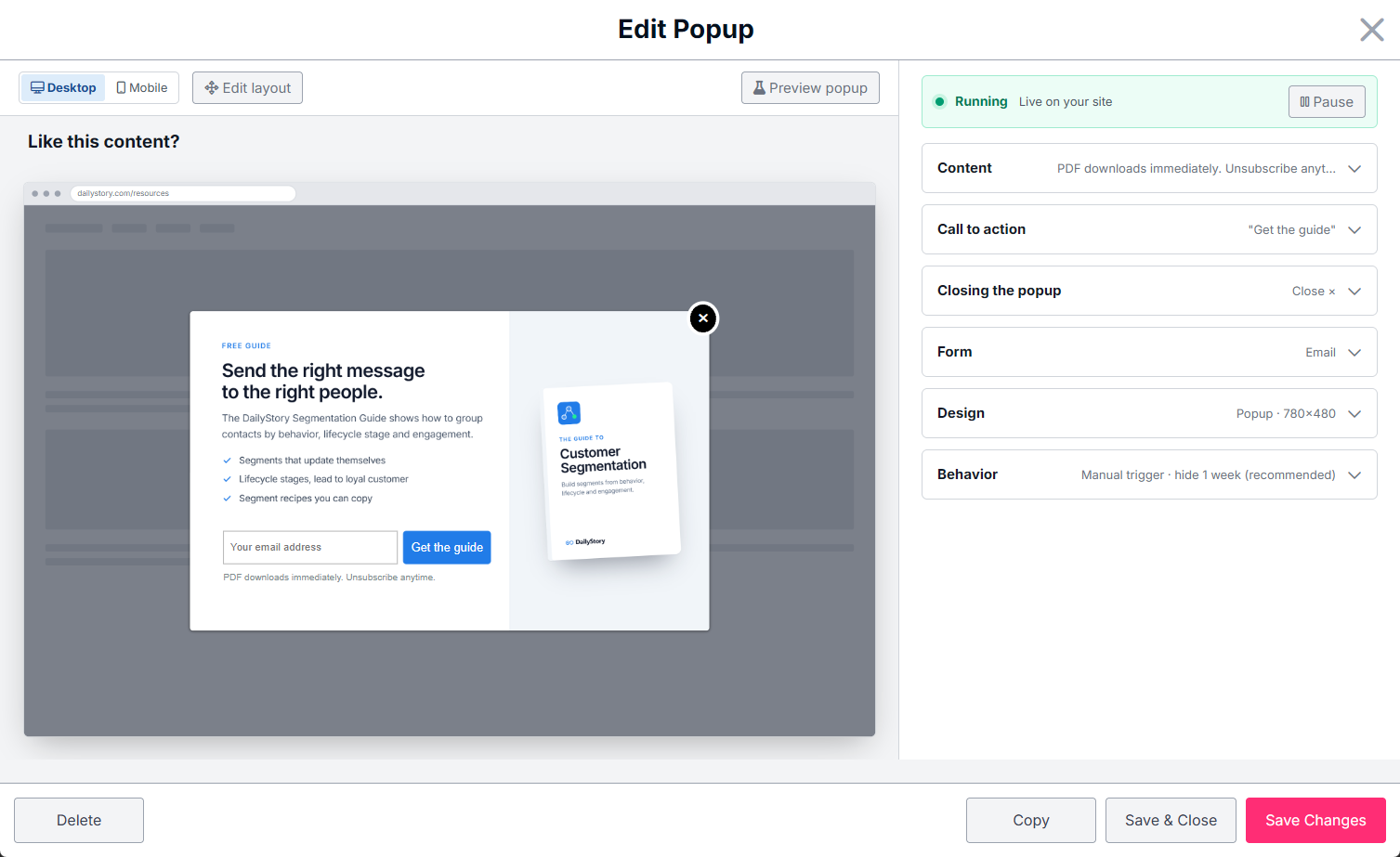
- Content - text and image blocks that can be added to the popup.
- Call to action - options related to configuring the popups call to action button and behavior.
- Closing the popup - buttons and behaviors related to closing or dismissing the popup.
- Form - when collecting leads through the popup you can select which form fields to include.
- Design - how the popup is displayed, background color, drop shadow and more.
- Behavior - various options that determine when the popup is shown or when dismissed how long it is hidden.
Frequently Asked Questions
Below are some frequently asked questions about popups.
Can I use a Popup in my DailyStory landing pages?
Yes, popups can run in DailyStory landing pages.