WiX is a simple to use drag-and-drop website builder. Adding the DailyStory tracking code to WiX is very simple.
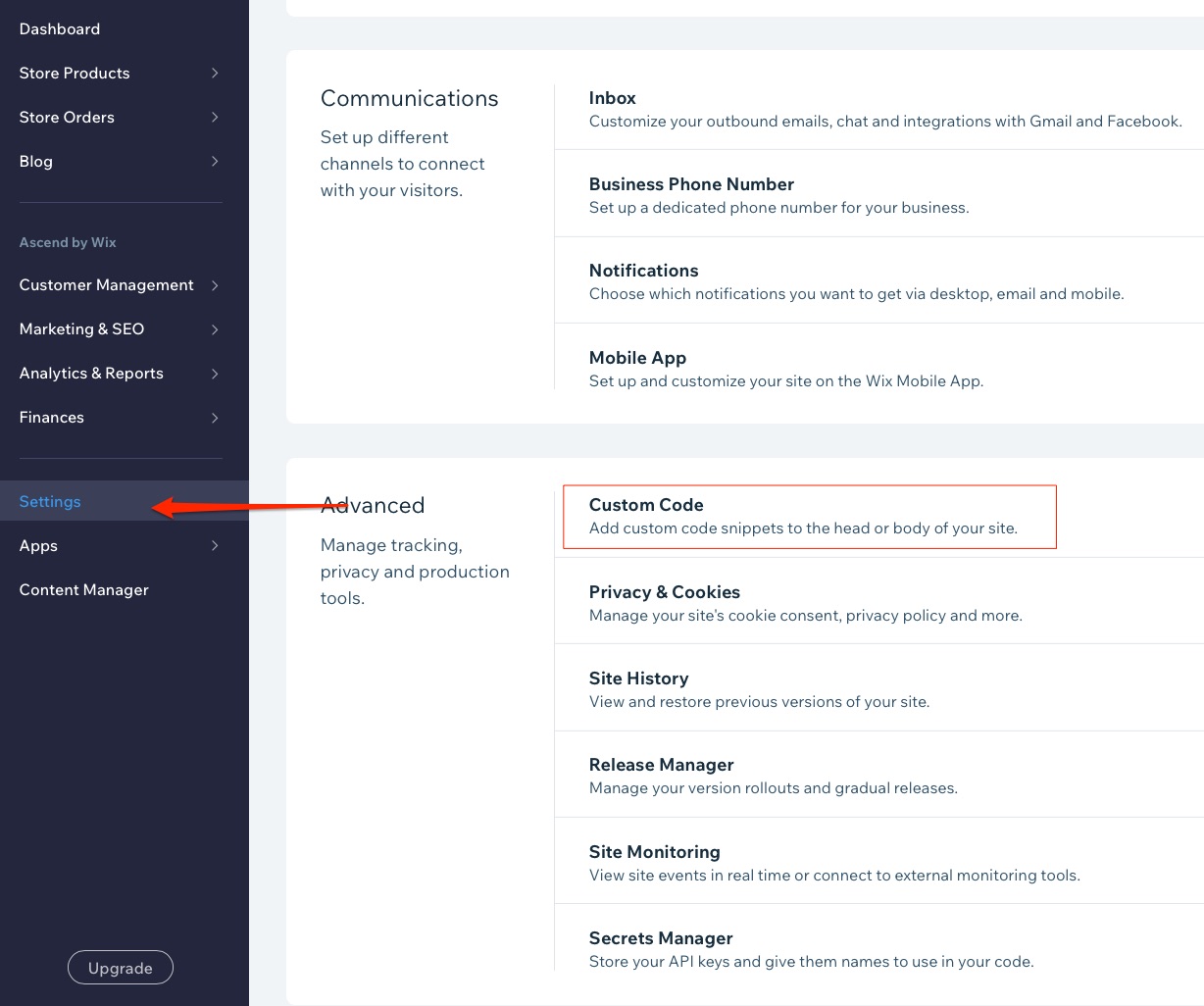
Navigate to Settings > Custom Code
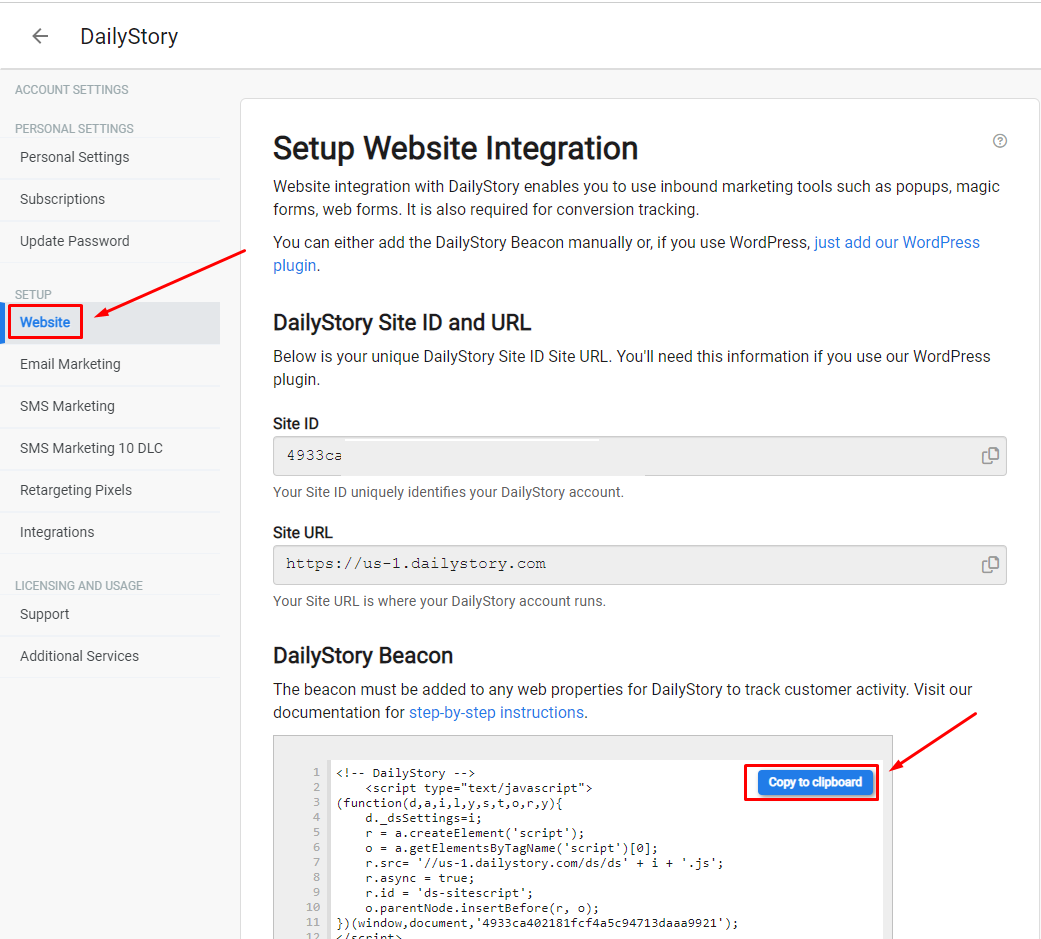
Go to the Beacon page, where you can find your DailyStory Beacon. Copy the Beacon code.
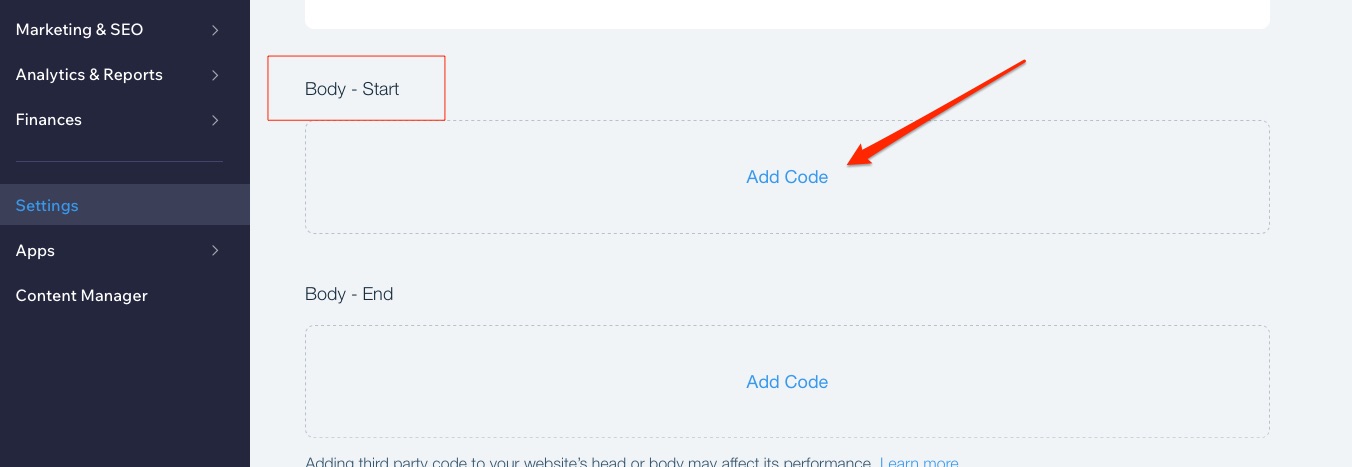
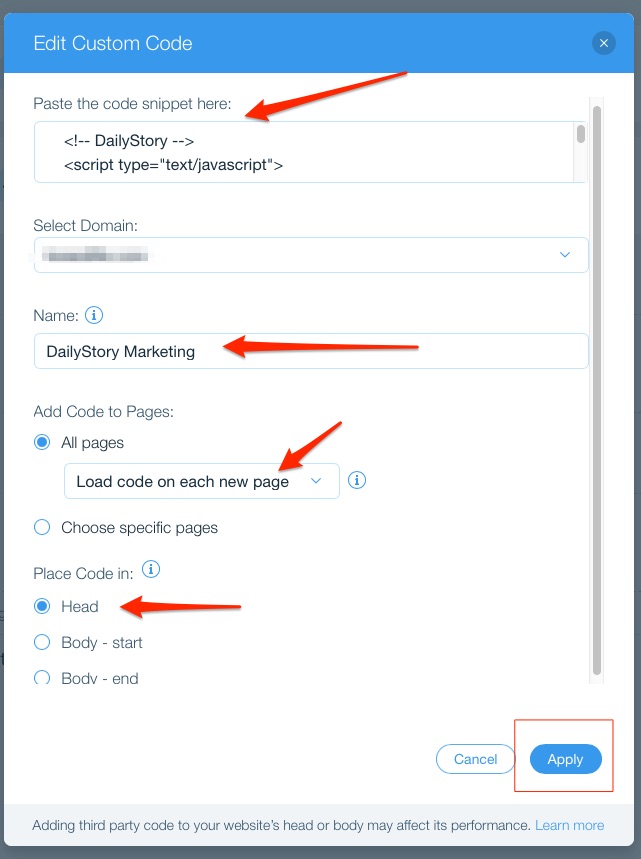
Click on Add Code. This opens a popup:
All Pages from the radio button and select "Load code on each new page" from the drop-down.Head for "Place Code in":That's it. DailyStory will start receiving page-view information from WiX.