Smile.io Integration
Smile.io integration with DailyStory allows your DailyStory platform to pull in customer loyalty data from Smile.io. Including point balance and VIP tier. This data can then be used in conjunction with DailyStory outbound marketing tools to personalize content or used to build segments and automations.
How to integrate Smile.io and DailyStory
Smile.io integration with DailyStory requires several steps.
- BigCommerce API URL & keys
Please see the Smile.io documentation to generate the API key.
- Enable integration in DailyStory
Navigate to Account Settings > Integrations, and select Smile.io. Enter the API Key obtained in Step 1, and click the "Save" button.
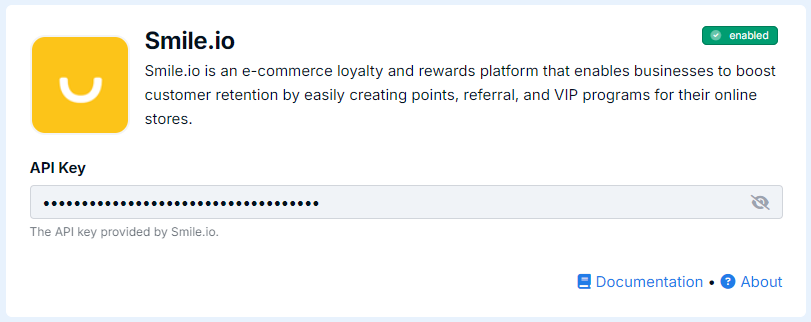
Congratulations. Smile.io integration is now successfully configured! Data will begin importing into DailyStory from Smile.io.
Smile.io Sync
Once Smile.io integration is enabled, DailyStory:
- Automatically syncs customer data from Smile.io: DailyStory automatically begins syncing your customer data from Simle.io into DailyStory.
Fields DailyStory syncs with Smile.io
The Smile.io integration will only sync with existing contacts.
| Field | Description |
| Id | The Id of the customer in Smile.io. API name: smile_customer_id |
| Points Balance | The loyalty point balance from Smile.io. API name: smile_points_balance |
| VIP Tier | The VIP tier from Smile.io. API name: smile_vip_tier_id and smile_vip_tier_name |
Frequently Asked Questions
Below are some frequently asked questions about using DailyStory's Smile.io integration.
How often does DailyStory sync with Smile.io?
Sync runs approximately once every 2-3 hours.
Does DailyStory create contacts when syncing Smile.io?
No, DailyStory's sync with Smile.io requires that the contact record already exists in DailyStory from another integration. Typically this is used in conjunction with Shopify or BigCommerce.
Why key does Smile.io use to uniquely identify customer?
Smile.io relies on a unique email address and does not include a mobile number.