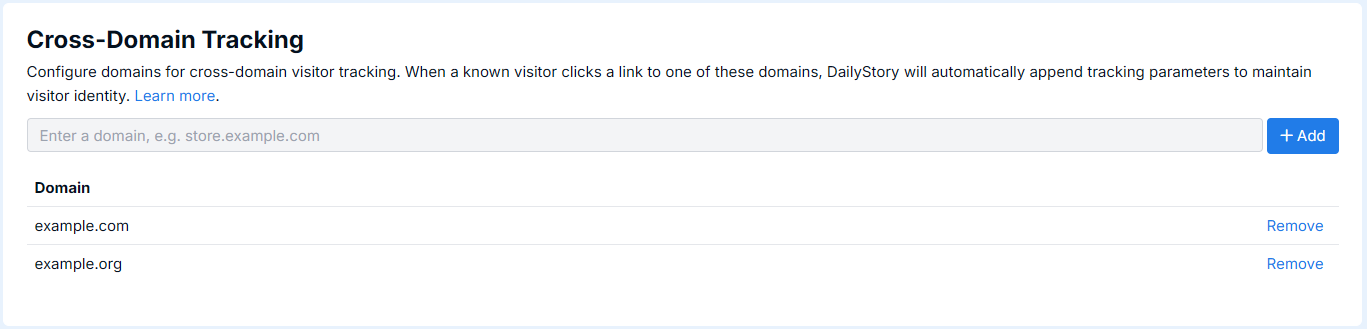
Cross-domain tracking enables DailyStory to maintain visitor identity when a known contact navigates between multiple domains that you own. When configured, DailyStory automatically appends tracking parameters to outbound links that point to your other domains, ensuring a seamless visitor experience across your web properties.
DailyStory identifies visitors using a unique identifier called a DsID. When the DailyStory beacon is installed on your website, it stores this identifier in the visitor's browser. However, browsers restrict access to stored data across different domains. This means that if a visitor moves from one of your domains to another, the second domain cannot read the DsID that was stored on the first.
Cross-domain tracking solves this by automatically appending the visitor's DsID and campaign information to outbound link URLs when a visitor clicks a link to one of your configured domains. The receiving domain's DailyStory beacon then reads these values from the URL and associates the visitor with their existing contact record.
Cross-domain tracking is useful when your business operates across multiple domains and you want to track a visitor's journey across all of them. Common scenarios include:
Cross-domain tracking only works for known visitors. If a visitor has not been identified through a DailyStory campaign link, web form, or other identification method, outbound links are not modified. This prevents anonymous visitor IDs from being unnecessarily passed between domains.
When a known visitor clicks a link to a configured cross-domain tracking domain, DailyStory appends the following parameters to the URL:
| Parameter | Description |
|---|---|
| dsid | The visitor's unique DailyStory identifier |
| ds_campaign | The campaign token associated with the visitor's current session (only included when a campaign is active) |
For example, if a visitor on example.com clicks a link to shop.example.net, the URL is automatically updated to include the tracking parameters: shop.example.net/products?dsid=abc123&ds_campaign=Summer_Sale.
These parameters are cleaned from the browser's address bar after they are read by the DailyStory beacon on the destination domain, so visitors will not see them in their URL bar.
DailyStory evaluates every link click on your page and applies the following rules:
/about) are never modified.For cross-domain tracking to work correctly:
Suppose your business operates three domains: example.com, store.example.net, and events.example.org. All three are configured for cross-domain tracking.
example.com clicks a link to example.com/about — the link is not modified (same domain).store.example.net — the link is modified with tracking parameters.store.example.net, the visitor clicks a link to events.example.org — the link is modified with tracking parameters.facebook.com — the link is not modified (not a configured domain).In each case, DailyStory recognizes the visitor across all three domains and attributes their activity to the same contact record. This enables accurate conversion tracking and reporting across your entire web presence.
Cross-domain tracking has minimal impact on page performance. The click listener runs a few lightweight checks on each click and only modifies the URL when all conditions are met. There is no impact on page load time, and the URL modification happens instantaneously before the browser navigates to the destination.
Cross-domain tracking only shares the visitor's DailyStory identifier and campaign token between domains that you own and have configured. Anonymous visitors are never tracked across domains. The DsID is validated to ensure it is a legitimate identifier before being accepted by the receiving domain, and tracking parameters are removed from the URL after being read.
To setup cross-domain tracking, navigate to Account Settings > Website Setup. At the bottom is the configuration for Cross-Domain Tracking. Add/remove the domains to configure.