Flowhub is a modern point-of-sale system for cannabis dispensaries.
Flowhub integration with DailyStory requires several steps.
First, you'll need to contact Flowhub and request an API Key and a Client Id. These are required to set up the integration with DailyStory.
Navigate to Account Settings > Integrations and select Flowhub. Enter the Client Id and API Key obtained in Step 1 and click the "Save" button.
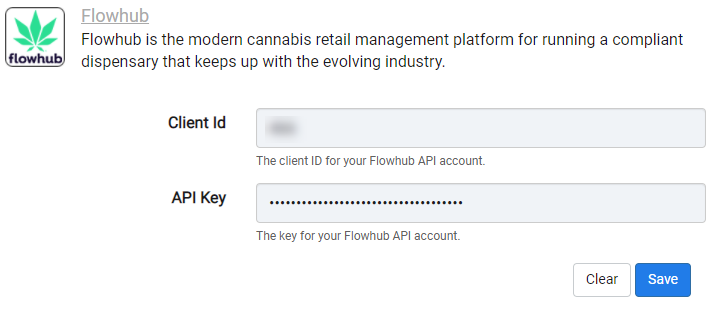
Congratulations. Flowhub integration is now successfully configured! Data will begin importing into DailyStory from Flowhub.
Once Flowhub integration is enabled, DailyStory:
When Flowhub integration is enabled, DailyStory automatically syncs data from Flowhub.
RecommendedFlowhub sync is one directional from Flowhub to DailyStory. Data from Flowhub will always be considered the "source of truth."
DailyStory will sync the following standard fields from Flowhub: first name, last name, email, mobile number, address, city, state, postal code and birthdate. DailyStory also will automatically geocode (calculate the latitude and longitude) of the contact record.
In addition to standard fields, the following Flowhub-specific fields are synced. These fields are used for personalizing content, running automations or building segments, such as customers that haven't ordered within 6 months.
| Field | Description |
| Id | The unique identifier of the user in Flowhub. Accessible in personalization as profile.fh_id. |
| Customer Type | The customer type, e.g Medicinal. Accessible in personalization as profile.fh_cust_type. |
| Is Loyalty Member | Whether or not the customer is a loyalty member. Accessible in personalization as profile.fh_isloyal. |
| Loyalty Points | The total number of loyalty points if the customer is a loyalty member. Accessible in personalization as profile.fh_points. |
| Products | A list of purchased products. Accessible in personalization as profile.fh_products. |
| Categories | A list of purchase product categories. Accessible in personalization as profile.fh_categories. |
| Medical Id | The medical id of the customer. Accessible in personalization as profile.fh_med_id. |
| Last Budtender | The last budtender that the customer interacted with during the most recent purchase. Accessible in personalization as profile.fh_last_budtender. |
| Total Spent | The total amount the customer has spent. Accessible in personalization as profile.fh_total_spent. |
| Total Orders | The total number of orders. Accessible in personalization as profile.fh_total_orders. |
| Last Order Type | The last order type, e.g. in-store. Accessible in personalization as profile.fh_last_ordertype. |
| Last Order Status | The last order status, e.g. sold. Accessible in personalization as profile.fh_last_orderstatus. |
| Last Order Date | The date the customer last completed a purchase. Accessible in personalization as profile.fh_last_orderdate. |
When Flowhub is installed, the following dynamic segments are created automatically. These segments are provided as examples and can be used and modified.
A dynamic segment that maintains a list of customers that have purchased previously, but haven't ordered anything in the past 60 days.
A dynamic segment that maintains a list of customers that made their first order in the past 30 days.
Customers that have ordered more than once.
Customers that have spent more than $100.