Lightspeed Integration
Lightspeed is a point-of-sale and e-commerce software provider. By integrating Lightspeed with DailyStory, you can leverage the DailyStory marketing automation platform to seamlessly send emails, text messages, push notifications and more.
Versions of Lightspeed supported by DailyStory
- C-Series - supported
- R-Series - supported
- X-Series - supported
- E-Series, S-Series, K-Series, L-Series, U-Series, O-Series, G-Series - not currently supported
How to integrate Lightspeed C-Series and DailyStory
Lightspeed C-Series integration with DailyStory requires several steps.
- Lightspeed API keys
Generate a set of Lightspeed APIs keys: login to Lightspeed admin Settings > Store Settings > Developers and generate an API key and API secret.
- Enable integration in DailyStory
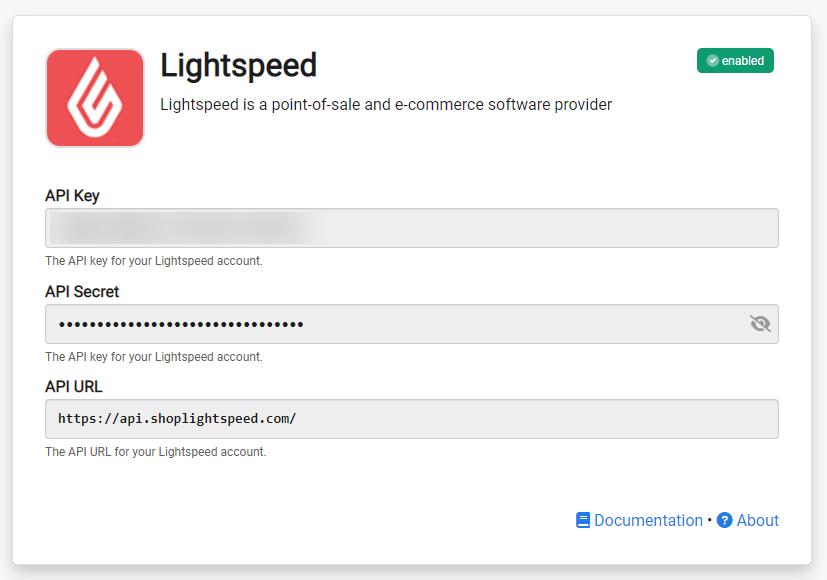
Navigate to Account Settings > Integrations, and select Lightspeed C-Series. Enter the API key, API secret, and API URL obtained in Step 1, and click the "Save" button.
 Recommended
Note: Your API URL will be https://api.shoplightspeed.com/ for US customers and https://api.webshopapp.com/ for EU customers.
Congratulations. Lightspeed C-Series integration is now successfully configured! Data will begin importing into DailyStory from Lightspeed.
How to integrate Lightspeed R-Series and DailyStory
Lightspeed R-Series integration with DailyStory requires several steps.
- Lightspeed Credentials
Navigate to Accounts Settings > Integrations, and select Lightspeed R-Series
- Authenticate with Lightspeed R-Series
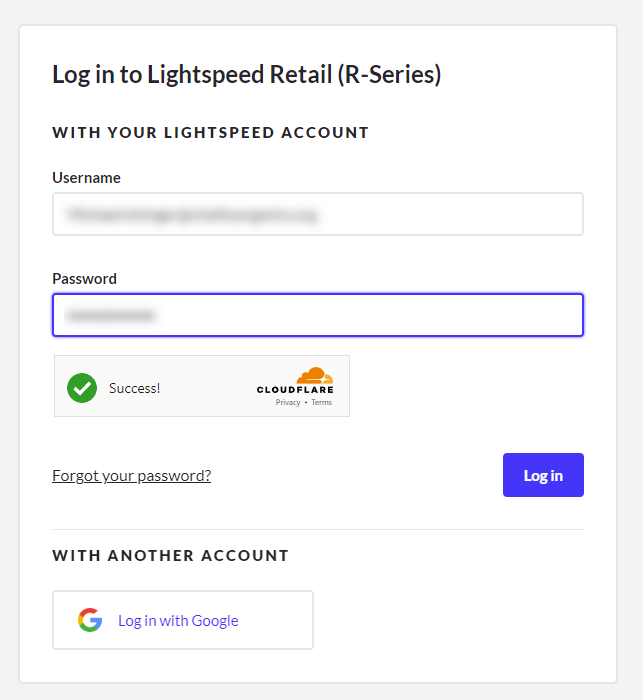
You will need to log in with an admin-level account into your Lightspeed R-Series platform:
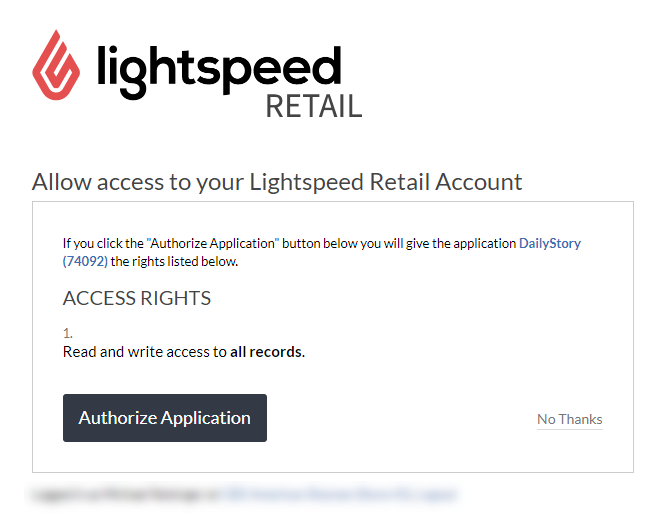
- Approve the permissions required by DailyStory
Click "Authorize Application" to approve the DailyStory integration.
Congratulations. Lightspeed R-Series integration is now successfully configured! Data will begin importing into DailyStory from Lightspeed.
Loyalty and rewards
The following activities from Lightspeed C-Series and R-Series generate loyalty points:
- New Customer - when a new account signs up
- Place an Order - for each dollar spent
Lightspeed sync
Once Lightspeed integration is enabled, DailyStory:
- Automatically syncs customer data from Lightspeed: DailyStory automatically begins syncing your customer data from Lightspeed into DailyStory. This includes standard customer details, such as first and last name, email address and more. But also includes Lightspeed-specific data, such as order status, last order date and more.
- Enables Lightspeed-specific customer segments: Build customer segments based on data from Lightspeed. These segments will automatically stay up-to-date as data in Lightspeed changes.
- Enables Lightspeed-specific automations: Automations, such as an abandoned cart, new customer welcome, customer retention, customer recognition and more are easily enabled.
Fields DailyStory syncs with Lightspeed-C
Standard Fields
- First Name
- Last Name
- Email
- Phone
- Address
- City
- State/Region
- Country
- Zip/Postal Code
Lightspeed-C Fields
- Customer ID
- Product Title
- Order Status
- Order Update Date
- Order Price
Fields DailyStory syncs with Lightspeed-R
Standard Fields
- First Name
- Last Name
- Email
- Phone
- Address
- City
- State/Region
- Country
- Zip/Postal Code
Lightspeed-R Fields
- Sale Created Date
- Sale Total Due
- Sale Description
RecommendedIf you need additional fields imported from Lightspeed or a different Lightspeed version, please contact us for assistance.