The Loyalty and Rewards feature enables you to create and manage and end-to-end loyalty and rewards program for your contacts. The Loyalty and Rewards program is accessible from Contacts > Loyalty and Rewards.
This includes:
The Loyalty and Reward system is fully integrated with DailyStory automations so that flows can easily add or deduct points, assign loyalty rewards. Reward tiers, which contacts can achieve based on point totals, are also fully integrated with DailyStory's segmentation.
Loyalty points are earned either performing an action, such as clicking a link in an email, or assigned through an automation.
There are several pre-built ways to earn loyalty points. By default, all of the ways to earn loyalty points are disabled.
Each of these pre-built options can be clicked and configured to be enabled and to set the number of points granted when achieved:

However, for these pre-built ways to earn points they are limited in their options.
You can manually assign points to a contact. Start by going to Account Settings and search for Loyalty and Rewards.
Many of DailyStory's native integrations, such as Shopify, WooCommerce, have pre-built ways to earn loyalty points that only become available when the integration is enabled.
Create a custom way to earn points is where DailyStory's loyalty program stands-out. Start by clicking + Create new and then edit the details about how the points are earned.
Whether creating or editing a custom way to earn points, the settings are the same.

Optionally set a unique reward icon that is shown on the contact's profile.

For scenarios where the points should be earned through activities on your website, your mobile app, or elsewhere, you can use the APIs to assign points.
Redemption of loyalty points can be done manually or using the API. To redeem points manually use the Manually Redeem option.
The manual redemption of points is made possible with a simple tool. This can be found be navigating to Redeem Loyalty Points on the left-side menu when viewing Loyalty and Rewards.
First, search for a contact to redeem points for.
You are shown details about the contact such as name, email, mobile phone, birth date and address.
Enter a number greater than 0. You will be shown a confirmation that you are redeeming points for a contact and an email will be sent to the contact letting them know points have been redeemed.
Access to Managing the loyalty program requires Administrative or LoyaltyCanManage permissions.
When managing loyalty and rewards DailyStory provides the ability to set rules around point expiration:
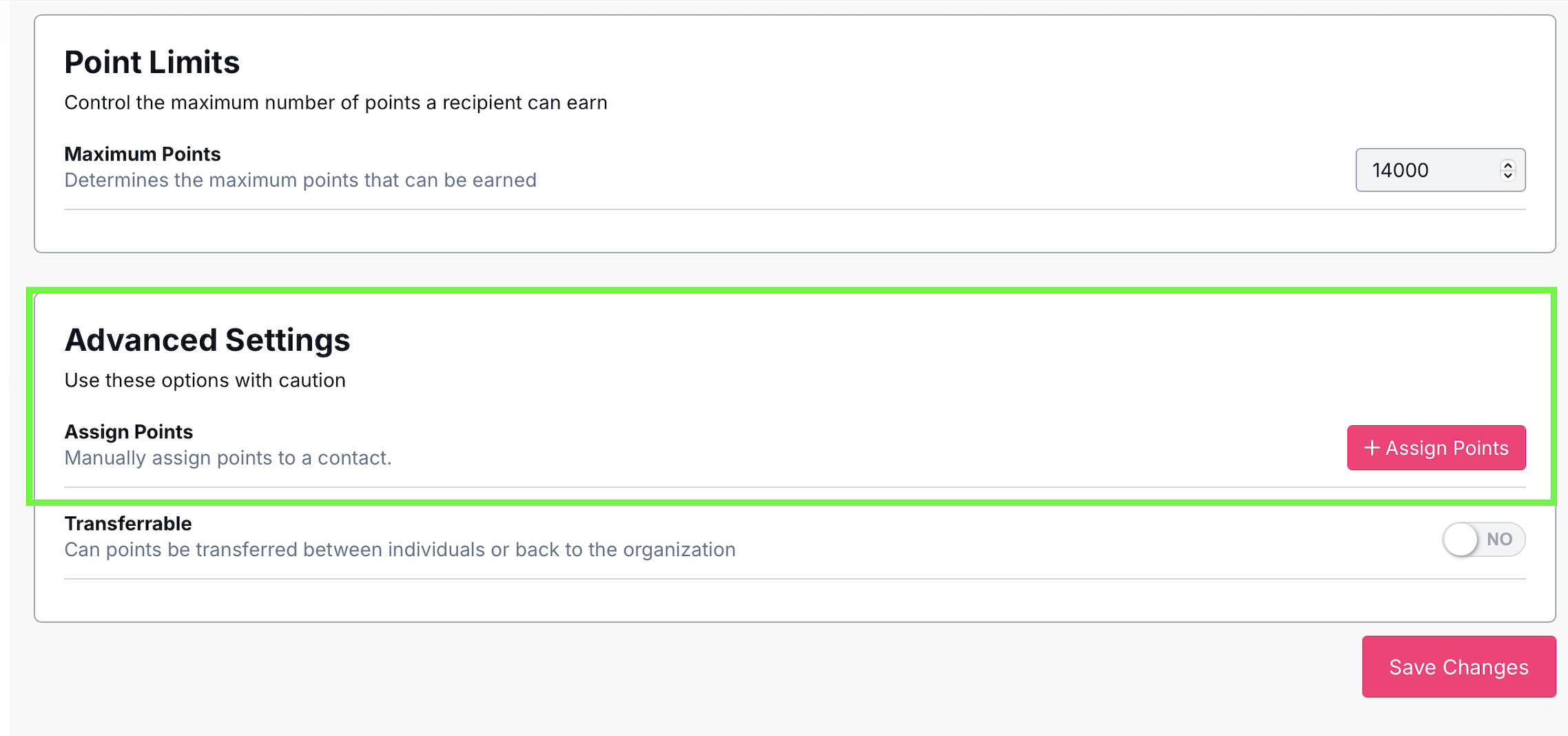
Configure the maximum number of points a recipient can earn.
Other advanced settings for loyalty and rewards.
Below are the permissions and claims associated with Loyalty and Rewards.
| Ability | Description |
LoyaltyCanView | Grants the ability to view loyalty and rewards. |
LoyaltyCanRedeem | Grants the ability to redeem rewards for a contact. |
LoyaltyCanManage | Grants the ability to view, redeem, and manage (create, edit and delete) loyalty and rewards. |