Stripe is a suite of APIs powering online payment processing and commerce solutions for internet businesses of all sizes. By integrating Stripe with DailyStory, you can leverage the DailyStory marketing automation platform to seamlessly send emails, text messages, push notifications and more to customers added to Stripe.
Stripe integration with DailyStory requires several steps.
Login to your Stripe account and find your Stripe API key.
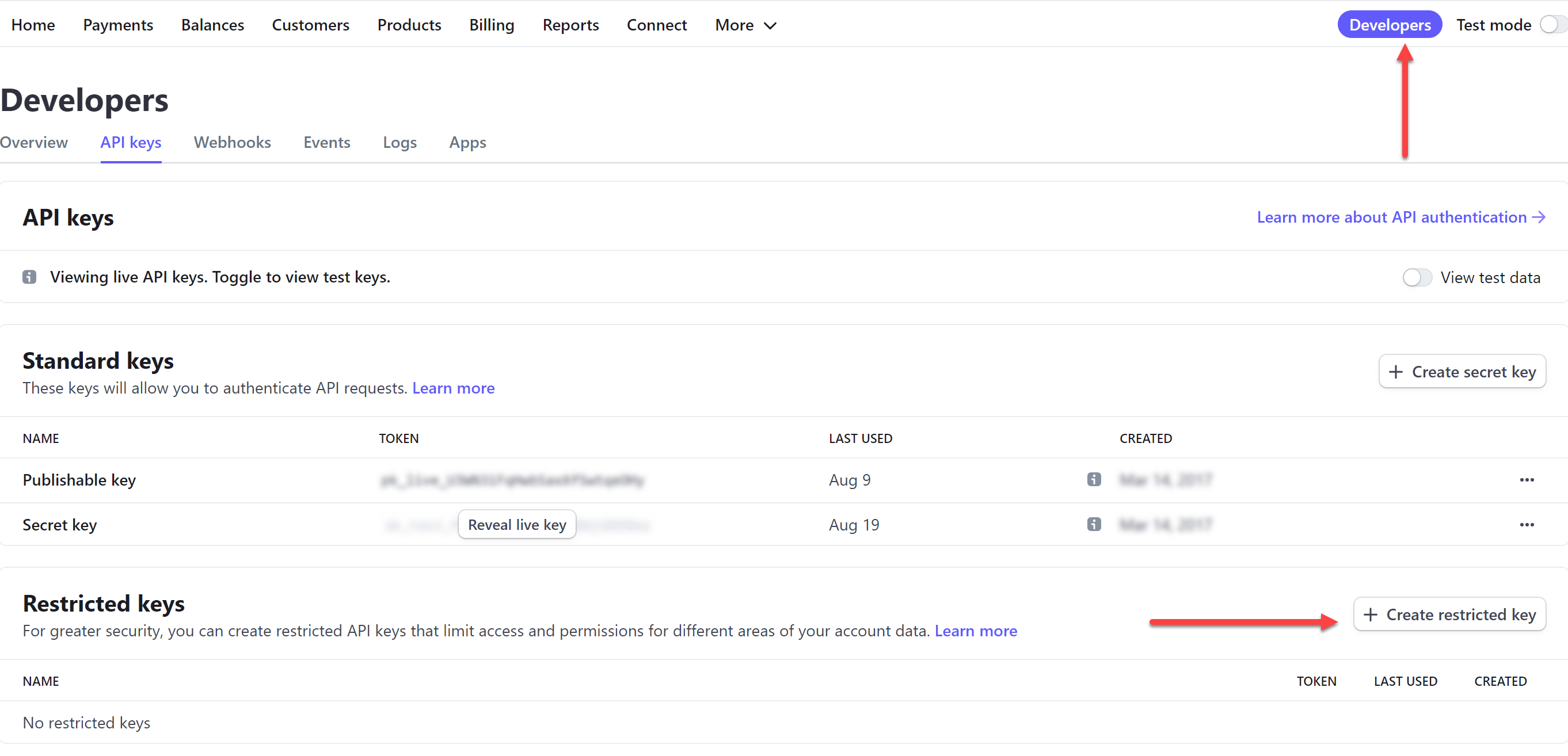
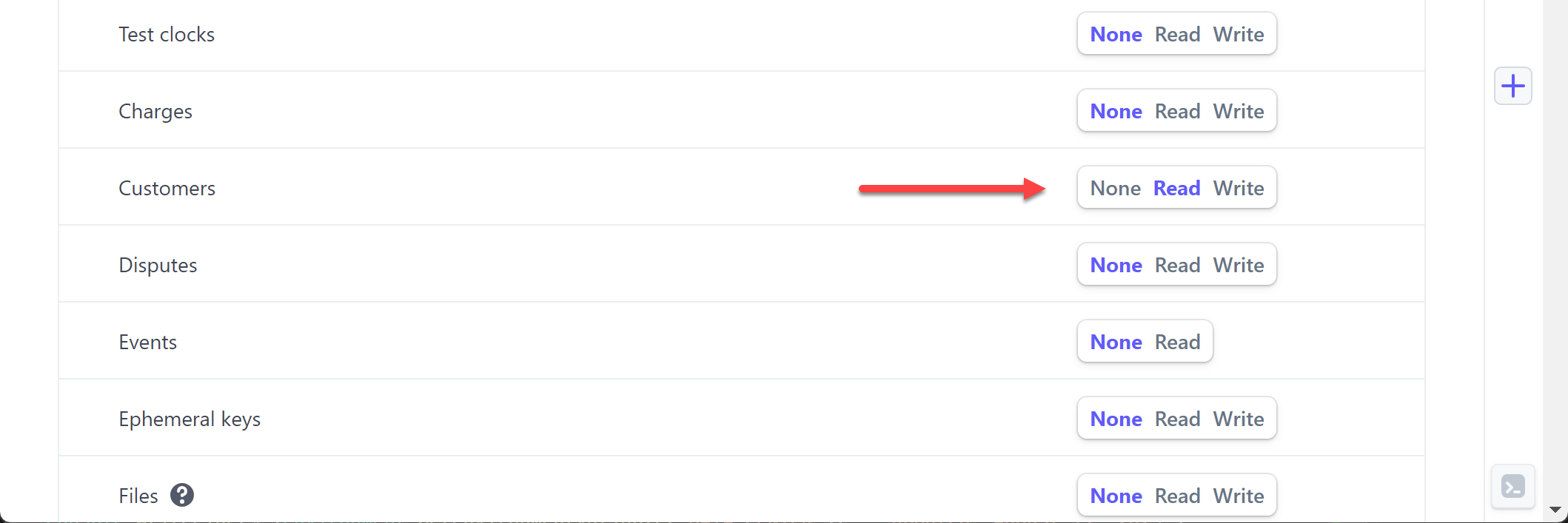
Set the "Read" permissions for Customers, Coupons, Orders, Invoices and Subscriptions. Below is an example of what the "Read" permission looks like for Customers:
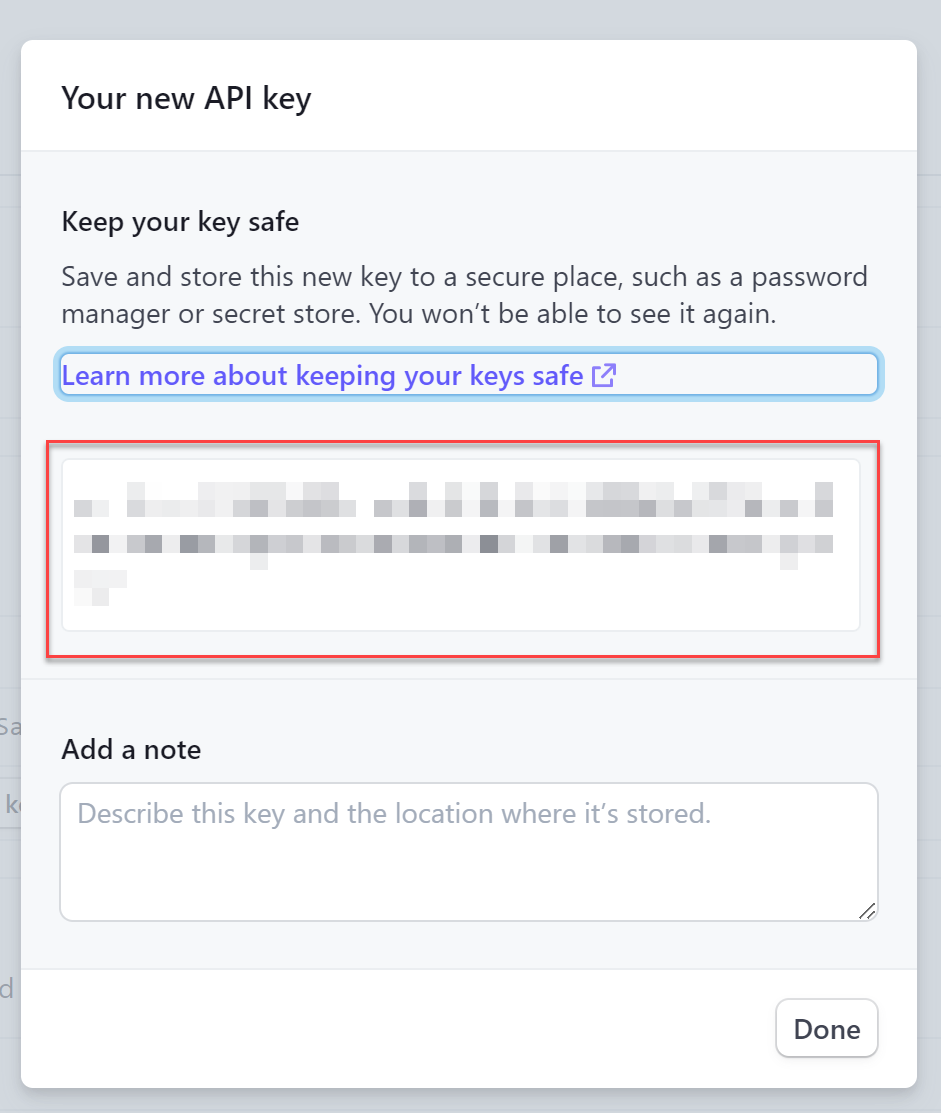
Upon saving you will be presented with the API key. Copy this API key as you'll need it to finish the setup.
Alternatively you can use your "Secret Key" but this is not recommended.
Navigate to Account Settings > Integrations, and select Stripe.
Enter the value of the Secret Key from step 1.
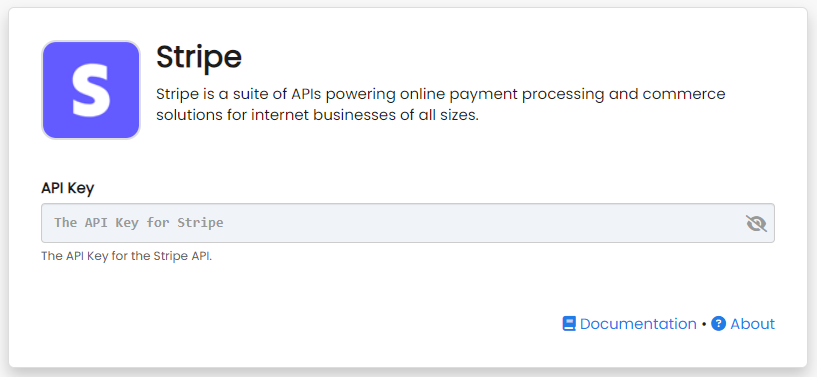
Congratulations. Stripe integration is now successfully configured! Data will begin importing into DailyStory from Stripe.
Once Stripe integration is enabled, DailyStory:
When Stripe integration is enabled, DailyStory automatically syncs data from Stripe.
RecommendedStripe sync is one-directional. And data from Stripe will always be considered the "source of truth."
DailyStory will sync the following standard fields from Stripe:
In addition to standard fields, the following Stripe-specific fields are synced. These fields are used for personalizing content, running automations or building segments, such as customers who haven't ordered in 6 months.
| Field | Description |
| Customer Id | The customer id in Stripe. Accessible in personalization as {{profile.stripe_customer_id}} |
| Purchased Products | The total number of purchased products. Available for segmentation and accessible in personalization as {{profile.stripe_order_products}} |
| Total Orders | The total number of orders. Available for segmentation and accessible in personalization as {{profile.stripe_total_orders}} |
| Total Sales | The total sales. Available for segmentation and accessible in personalization as {{profile.stripe_total_sales}} |
| Last Order Status | The status of the last order. Values may include: draft, open, void, paid, and uncollectible. Available for segmentation and accessible in personalization as {{profile.stripe_order_status}} |
| Last Order Value | The value of the last order. Available for segmentation and accessible in personalization as {{profile.stripe_order_last_value}} |
| Last Order Date | The date of the last order. Available for segmentation and accessible in personalization as {{profile.stripe_last_create_order_date}} |
| First Order Date | The date of the first order. Available for segmentation and accessible in personalization as {{profile.stripe_first_create_order_date}} |
| Active Subscriptions | Active subscriptions. Available for segmentation and accessible in personalization as {{profile.stripe_subscription_active}} |
| Cancelled Subscriptions | Cancelled subscriptions. Available for segmentation and accessible in personalization as {{profile.stripe_subscription_cancelled}} |
| Paused Subscriptions | Paused subscriptions. Available for segmentation and accessible in personalization as {{profile.stripe_subscription_paused}} |
| Trial Subscriptions | Trial subscriptions. Available for segmentation and accessible in personalization as {{profile.stripe_subscription_trial}} |
| Past Due Subscriptions | Past due subscriptions. Available for segmentation and accessible in personalization as {{profile.stripe_subscription_past_due}} |
If you need additional fields imported from Stripe that are not listed here, please contact us for assistance.
The following activities from Stripe generate loyalty points: