Installing the DailyStory WordPress plugin is simple!
All you need is administrator rights to your WordPress site, an active DailyStory account ... and about 10 minutes. The plugin requires WordPress 5.0 or later and PHP 7.2 or later.
/wp-admin/ at the end of your website URL.Plugins.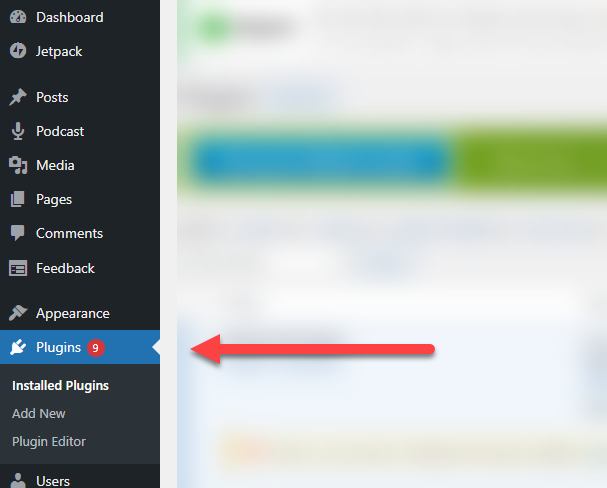
Add New in the Plugins menu on the left. Type DailyStory into the Search pluginstext box. This will return a list of any plugins that have the word "DailyStory." It will also do a check to ensure that the plugin is compatible with the version of WordPress you are running.The DailyStory plugin should look similar to this:
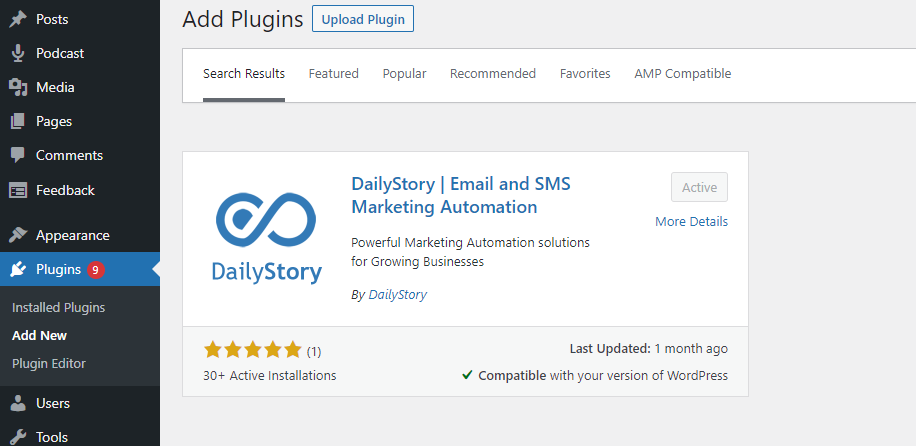
Install Now button.DailyStory ID and DailyStory Site URL (see below steps for finding your Site ID and URL).Save Settings. That's it! The plugin is now active, and DailyStory will receive updates from your website. Next, check out the WordPress shortcodes that the plugin enables.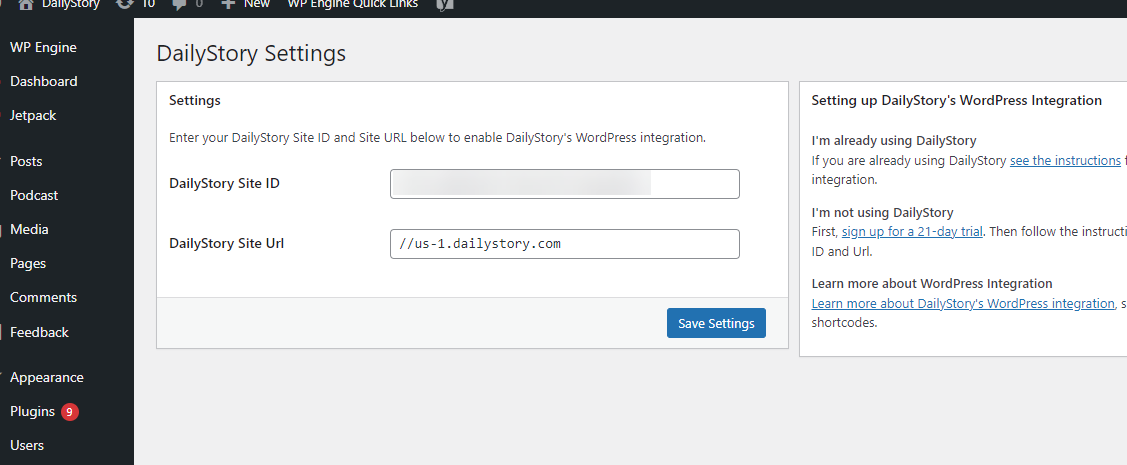
The DailyStory Site ID is a unique id that lets DailyStory know who you are. You'll see it used any time you are performing any integration or APIs calls for DailyStory.
The DailyStory Site URL is the web address associated with your instance of DailyStory. For example, https://us-1.dailystory.com.
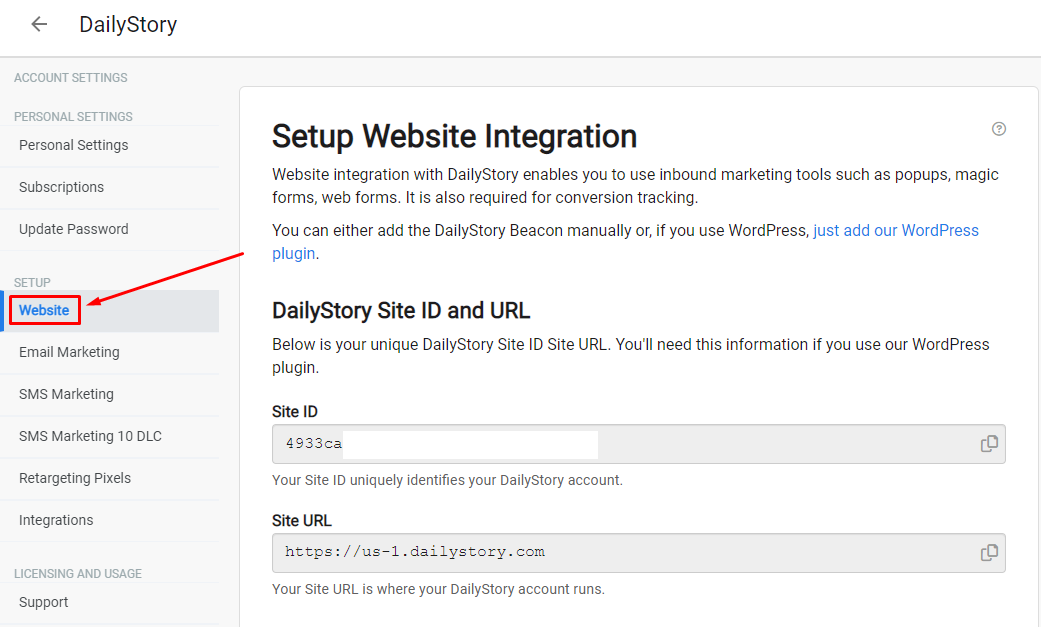
To find your Site ID and URL, log into your DailyStory app, and navigate to Account Settings > Website.
Copy the values shown in the Site ID and Site URL text boxes to complete your plugin setup and activation.
 Running WooCommerce?
On a site with WooCommerce installed, the plugin also tracks store activity such as product views, cart contents and completed orders. See WordPress Integration for what is sent and how to turn it off.