Subscriber topics allow contacts to identify the type of communication they wish to receive. This is a useful option when contacts wish to opt out of some marketing but continue to receive communication on other topics.
Subscriber topics help prevent contacts from opting out of all communication by presenting options to enable subscribers to self-select the topics they are interested in and unsubscribe from others.
For example, you may send content in the following topics:
Using subscriber topics, a contact can choose to receive "Recipes and Nutrition" messages while opting out of all other outbound messaging.
RecommendedSubscriber topics are disabled until a subscription preference is added.
It is important to note that the use of subscription topics adds additional complexity. It requires you to identify the subscription topic(s) for a campaign.
A subscriber topic enables opting out of content that the contact does not wish to receive.
For example, if a contact sets a top preference to "Recipes and Nutrition," they are effectively opting out of any content not associated with "Recipes and Nutrition."
Subscriber topics are applied at the campaign level once subscriber topics are created.
Contacts > Manage Subscriber Topics,Add Topic to add subscriber topic: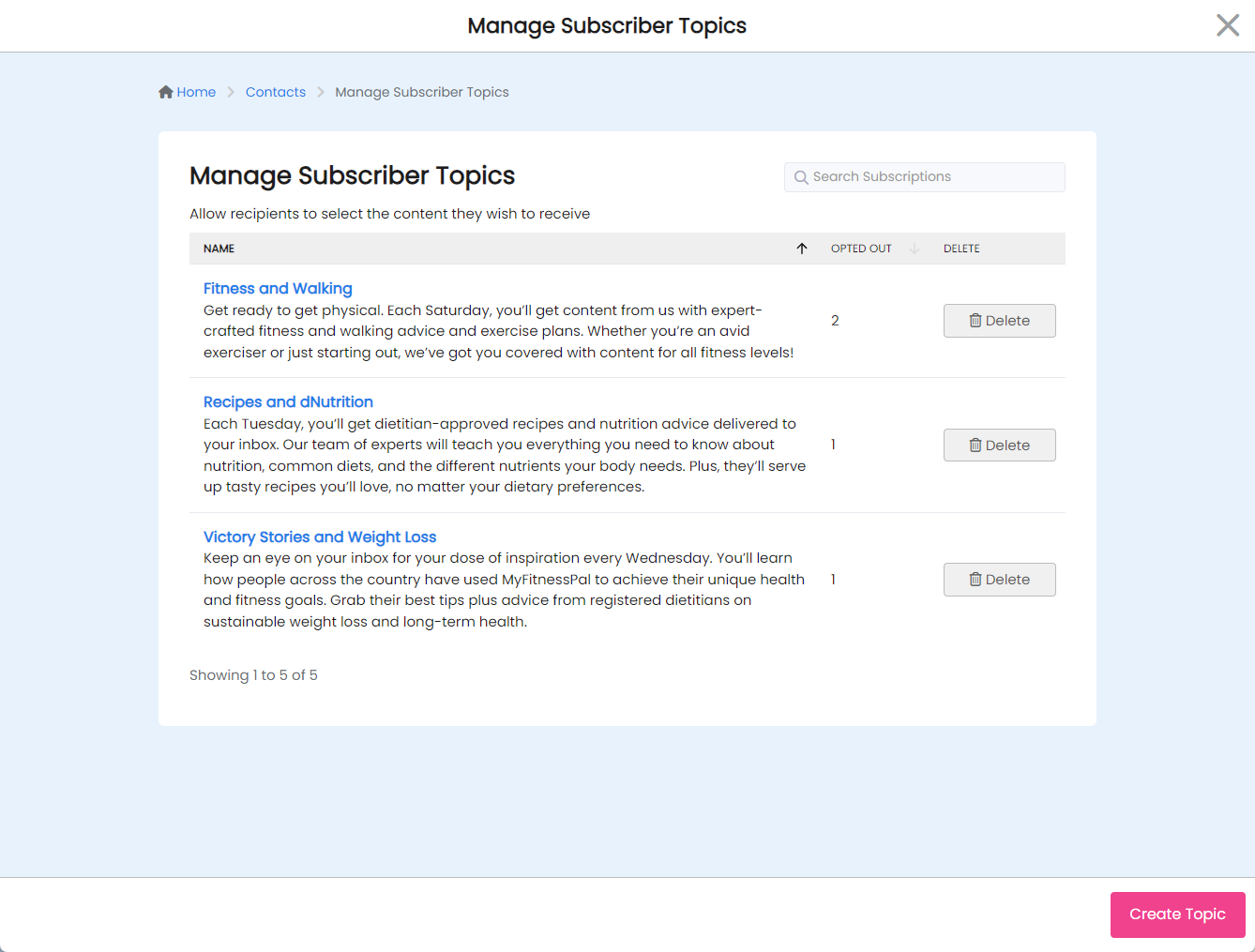
To edit a subscriber topic, you can click the name and change the name and description.
A good subscription top is:
For example:
Recipes and Nutrition - Each Tuesday, you'll get dietitian-approved recipes and nutrition advice delivered to your inbox. Our team of experts will teach you everything you need to know about nutrition, common diets and the different nutrients your body needs. Plus, they'll serve up tasty recipes you'll love, no matter your dietary preferences.
A subscriber can clearly discern what the content is about and the frequency (every Tuesday) for when the content is sent.
Subscription topics that are not used (no contacts have opted out) may be deleted. However, if a contact has opted into a given topic, that topic cannot be deleted.
Once subscriber topics have been created, you will need to edit your campaigns where subscriber topics should be applied.
RecommendedIf no subscriber topics exist, the Subscriber Topics option when editing the campaign is not shown.
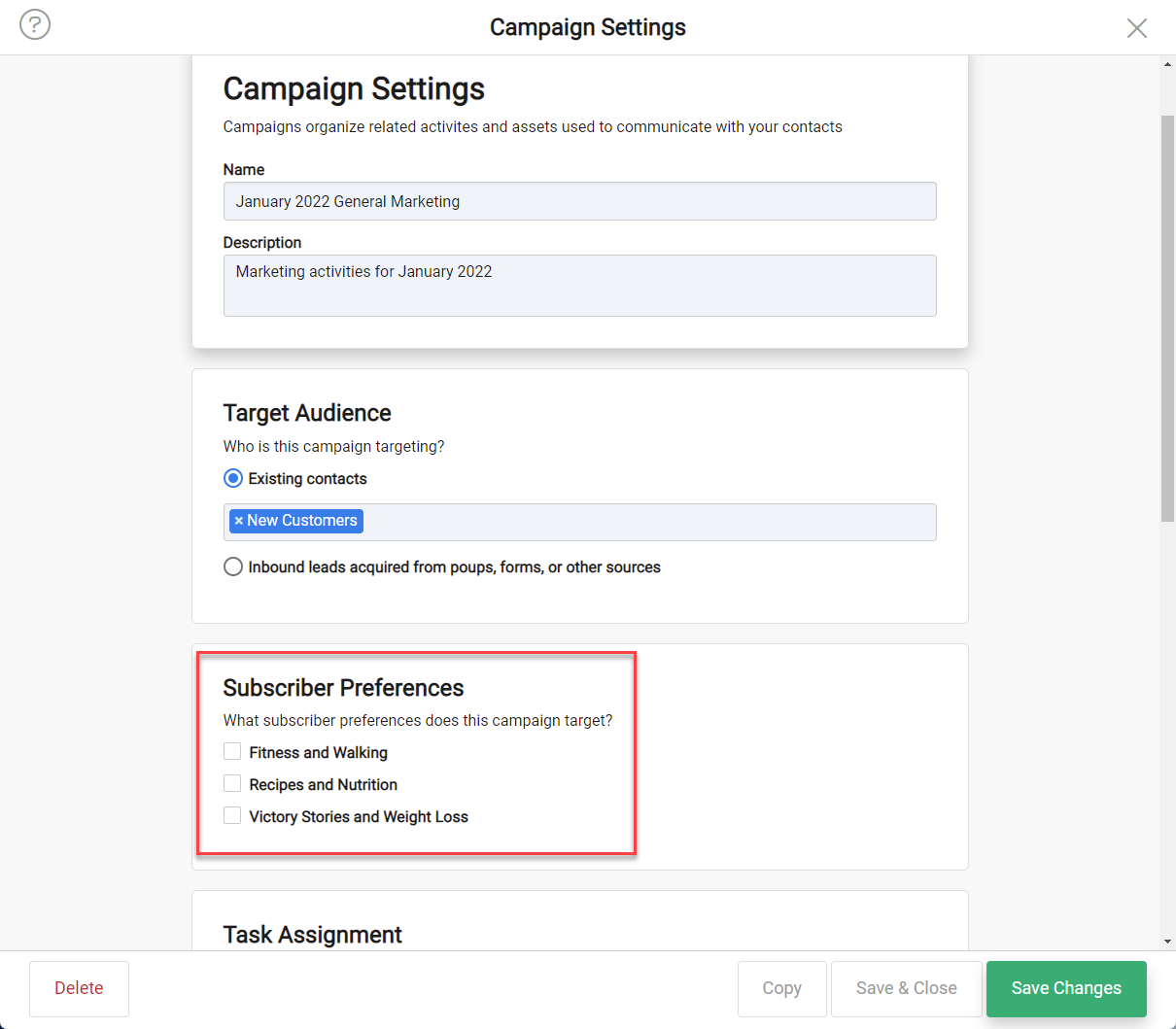
When subscriber topics do exist, you can configure as follows:
In addition to the unsubscribe merge tag, there is a subscriber preferences merge tag:
*|SUBSCRIBER_PREFERENCES|*
This merge tag is replaced with the URL to the subscriber preferences screen in DailyStory when the email is sent.
The preferences are also shown if the recipient clicks Unsubscribe.
RecommendedThe subscriber preferences merge tag is automatically built into the email footer in the DailyStory email designer.
When clicked the recipient sees the following in their browser:
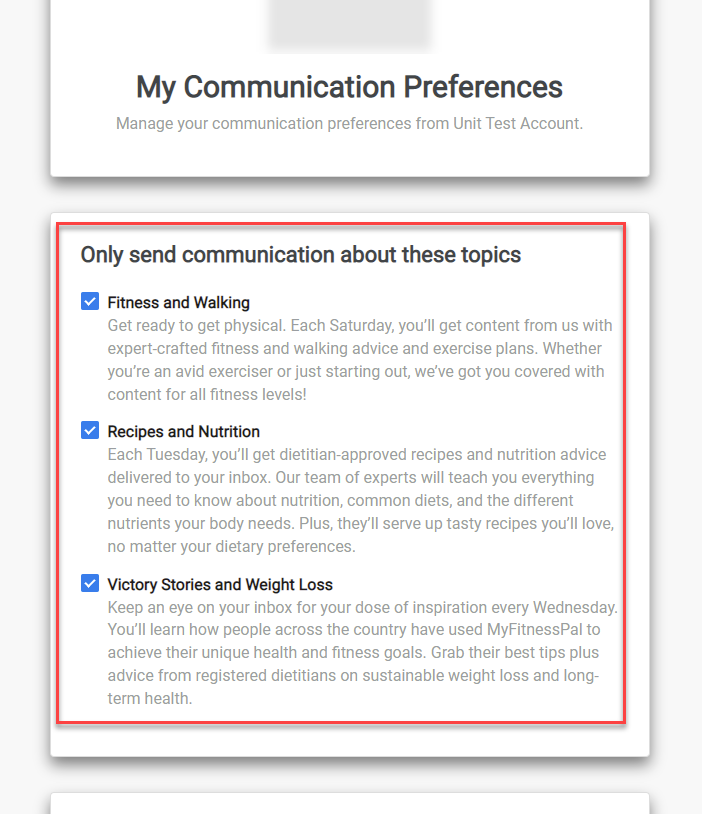
The email recipient can check or uncheck which content they wish to receive.