Watch this quick tutorial video to learn how to create a campaign in DailyStory.
On the Campaigns drop-down menu, select Create Campaign. You can also go to the Campaigns page, and then select + Create from the Campaigns hamburger menu. The site displays the Create a Campaign form.
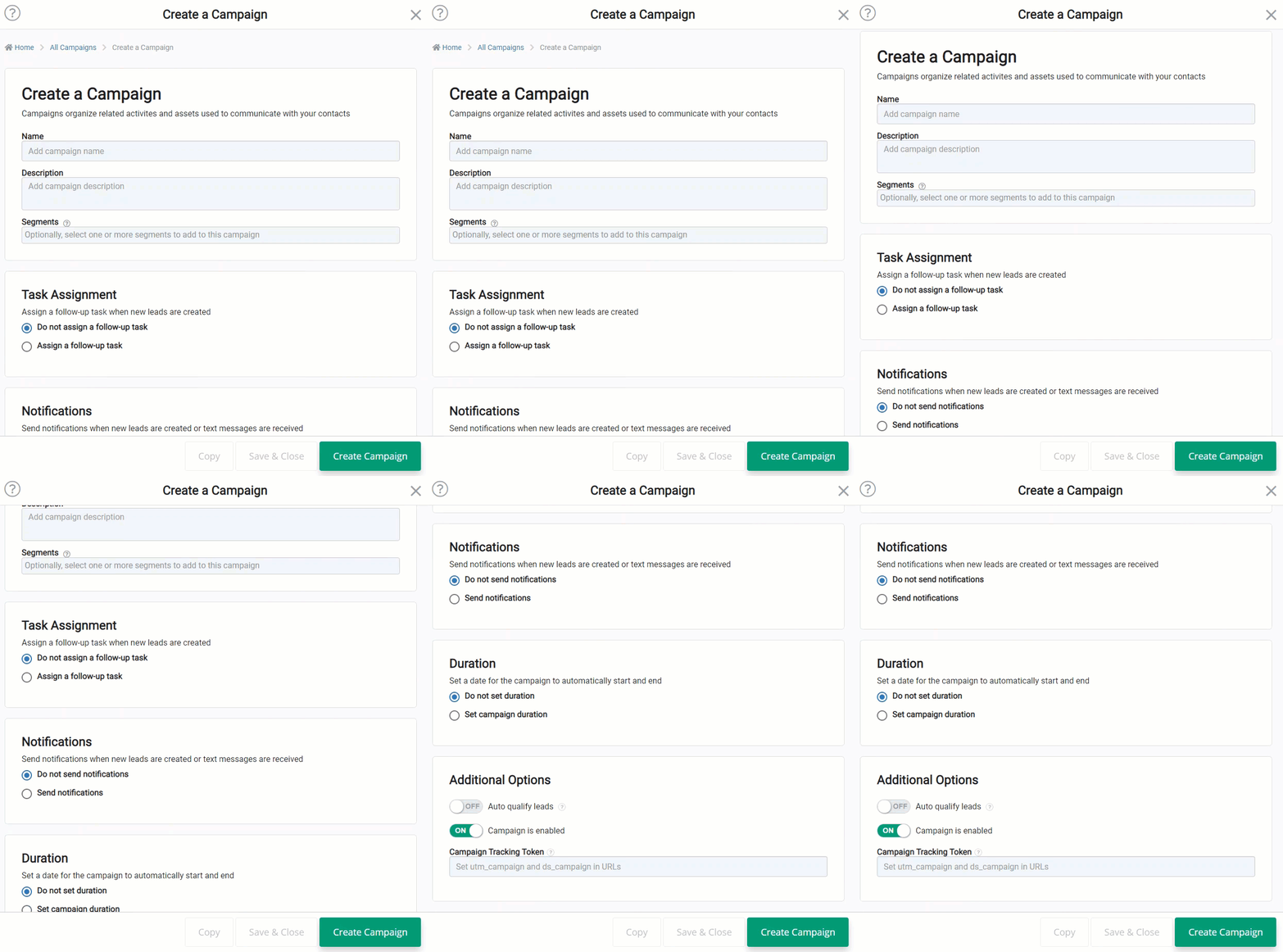
Specify the campaign information and settings for your campaign. Refer to the following sections to understand each field. After specifying the campaign information and settings, select Create Campaign. You will then be redirected to the campaign's home page.
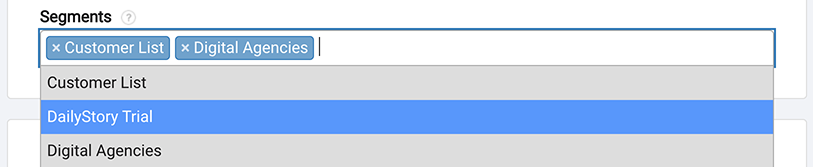
Provide the following basic information:
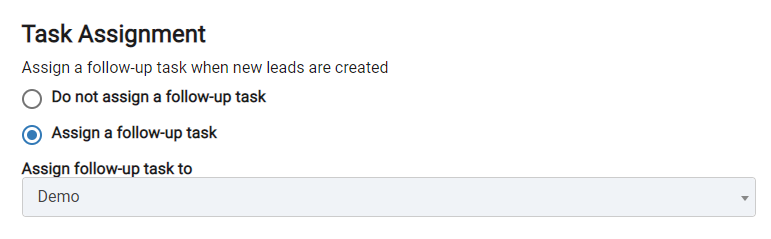
Determine whether or not to assign a follow-up task to yourself or to another user when new leads are generated in the campaign. Select one of the following options:
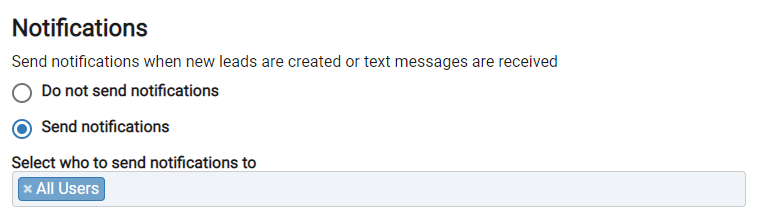
Determine whether the system sends email notifications to users when new leads are generated from acquisition features such as web forms, pop-ups, and the DailyStory API. Select one of the following options:
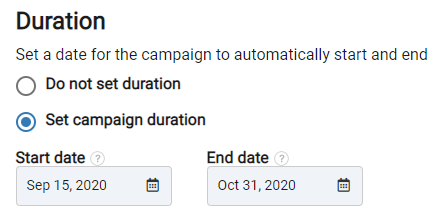
Determine if the campaign will run on a specified time period or indefinitely. Select one of the following options:
 Recommended
Note: The automations of the campaign will only run during the campaign's active period.
Advanced campaign options include pausing the campaign customizing the tracking token of the campaign and more. These options should not be used without understanding what they do.
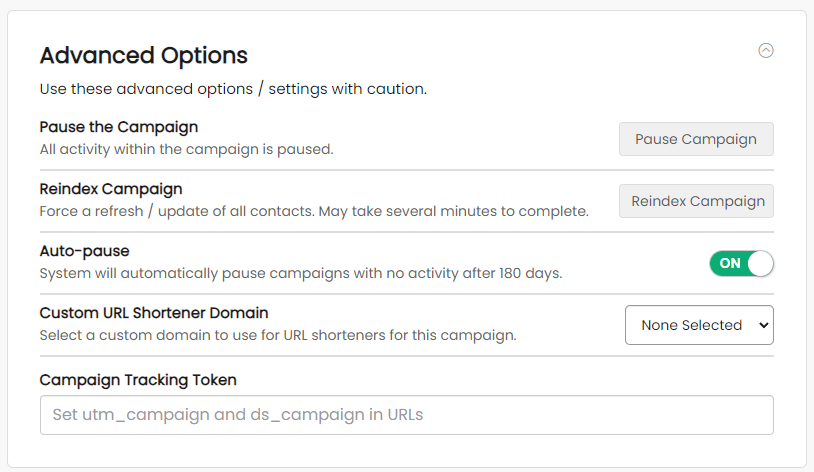
The campaign tracking token is used to associate user actions back to this campaign. The campaign tracking token also impacts how Google Analytics UTM tokens are created for URLs generated in emails, text messages, tracking links and other source.
DailyStory will always add the ds_campaign parameter to an outbound URL set to the value of the Campaign Tracking Token.
If the utm_campaign is not specified, DailyStory will set the value of utm_campaign to the value of the Campaign Tracking Token as well.
By default, the campaign tracking token uses the campaign name when created, but modifies is to be alpha numeric with no spaces.
All outbound links used in a campaign (examples include: emails, text messages, tracking links) add Google Analytics utm_source, utm_campaign, and utm_medium values. Unless the link already contains these parameters they will be set as follows:
In addition, DailyStory sets its own tag: ds_campaign. The ds_campaign tracking token is set to the values specified in the campaign tracking token.
If a UTM parameter is included on a URL, this will override the automatic UTM parameters set by DailyStory.
When installed on your website, DailyStory's tracking tag / beacon looks for the ds_campaign token and associates it with the visitor's actions.