RunSignup integration

RunSignup is the largest registration platform for endurance events, providing race directors with tools for registration, timing, and results management.
DailyStory’s integration with RunSignup enables races, participants, and volunteers from RunSignup to be accessible in DailyStory’s events integration, associates participants and volunteers with those events, and enables automations related to race attendance.
How to add RunSignup integration
To enable RunSignup integration you will need to obtain a Partner API key and API secret from RunSignup.
WarningThe API key and API secret must be a Partner API key and API secret. This is required to ensure races associated with your club are synced correctly.
- Sign in to DailyStory and navigate to
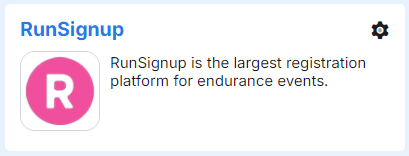
Account Settings > Integrations > Event Management. - Click on the RunSignup name or click the gear icon and select “configure”:
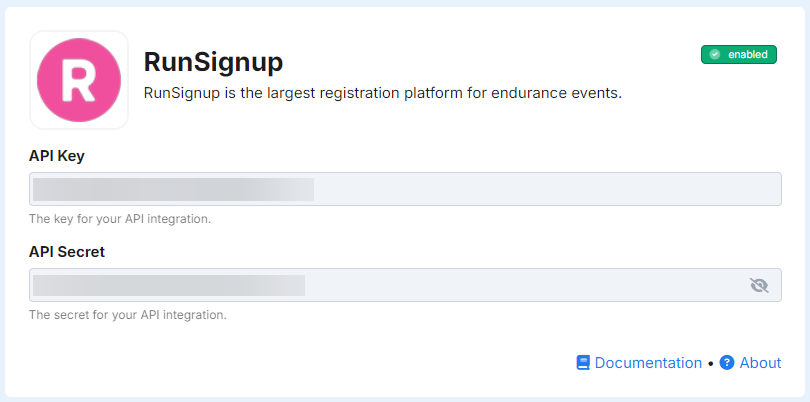
- Enter the Partner API key and API secret and click Save Changes.
Sync RunSignup Races
When RunSignup integration is enabled, DailyStory runs an initial sync to bring over races associated with your RunSignup partner account. The sync runs every 3 hours. On each subsequent run, only races modified since the last sync are processed. If a race’s name, URL, dates, venue, city, region, or logo changes in RunSignup, DailyStory updates the corresponding event automatically.
A dedicated segment is automatically created in DailyStory for each RunSignup race. Contacts associated with a race—whether as participants or volunteers—are added to that race’s segment, making it easy to target them with automations and campaigns.
Synced Contacts
Volunteer records from RunSignup are synced to DailyStory contacts every 3 hours. Contacts are matched by email address—if a contact with the same email already exists in DailyStory, it is updated rather than duplicated. Standard contact fields such as first name, last name, date of birth, mobile phone, and address are brought over, along with RunSignup-specific extended fields.
All RunSignup fields
In addition to standard contact fields, the RunSignup integration adds the following custom contact fields:
| Field Name | Description |
|---|---|
| User Id | The contact’s RunSignup user ID. Available in personalization as: profile.runsignup_user_id. |
| Last Registered For | The name of the race the contact most recently registered for. Available in personalization as: profile.runsignup_last_registered_for. |
| Last Registered Date | The date of the contact’s most recent registration. Available in personalization as: profile.runsignup_last_registered_date. |
| Last Amount Paid | The registration fee paid for the most recent race. Available in personalization as: profile.runsignup_last_amount_paid. |
| Events Participated In | A list of all races the contact has participated in. Available in personalization as: profile.runsignup_participated_in. |
| Has Volunteered | Whether the contact has volunteered for any race. Available in personalization as: profile.runsignup_has_volunteered. |
| Last Volunteered For | The name of the race the contact most recently volunteered for. Available in personalization as: profile.runsignup_last_volunteered_for. |
Synced Volunteers
In addition to race participants, RunSignup integration automatically syncs volunteer records. Volunteers are created as DailyStory contacts and associated with the corresponding race event. The runsignup_has_volunteered field is set to true and the runsignup_last_volunteered_for field is updated with the race name.
Volunteer data can be used in segments and automation triggers to send thank-you messages, recruit volunteers for future races, or build a reliable volunteer roster through ongoing communication.
RecommendedDailyStory reads from RunSignup but never writes back. Your registration records, payment data, and race configurations remain exactly as RunSignup manages them.