Text Messages in DailyStory can be sent as an SMS (Short Message Service) or an MMS (Multimedia Message Service). A typical single SMS message is 160 characters or less while an MMS contains an image and should be kept to less than 150KB in size.
To send messages in DailyStory, it requires enabling SMS marketing.
RecommendedUnless included, use of Text Messaging will incur charges to your credit card associated with your DailyStory account. See Understanding Text Messaging costs for more detail.
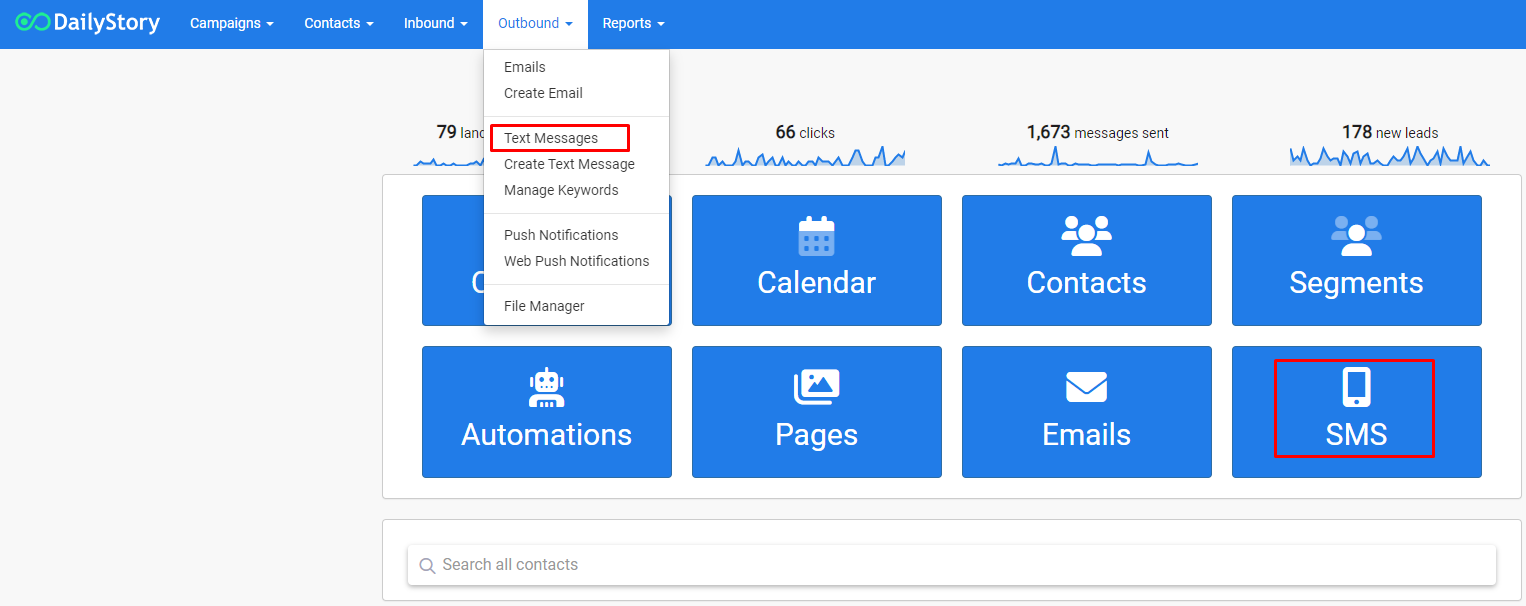
You can navigate to your text messages page by clicking on the SMS button on the homepage or from the home navigation menu Outbound > Text Messages. This page displays your text messages assigned to active campaigns.
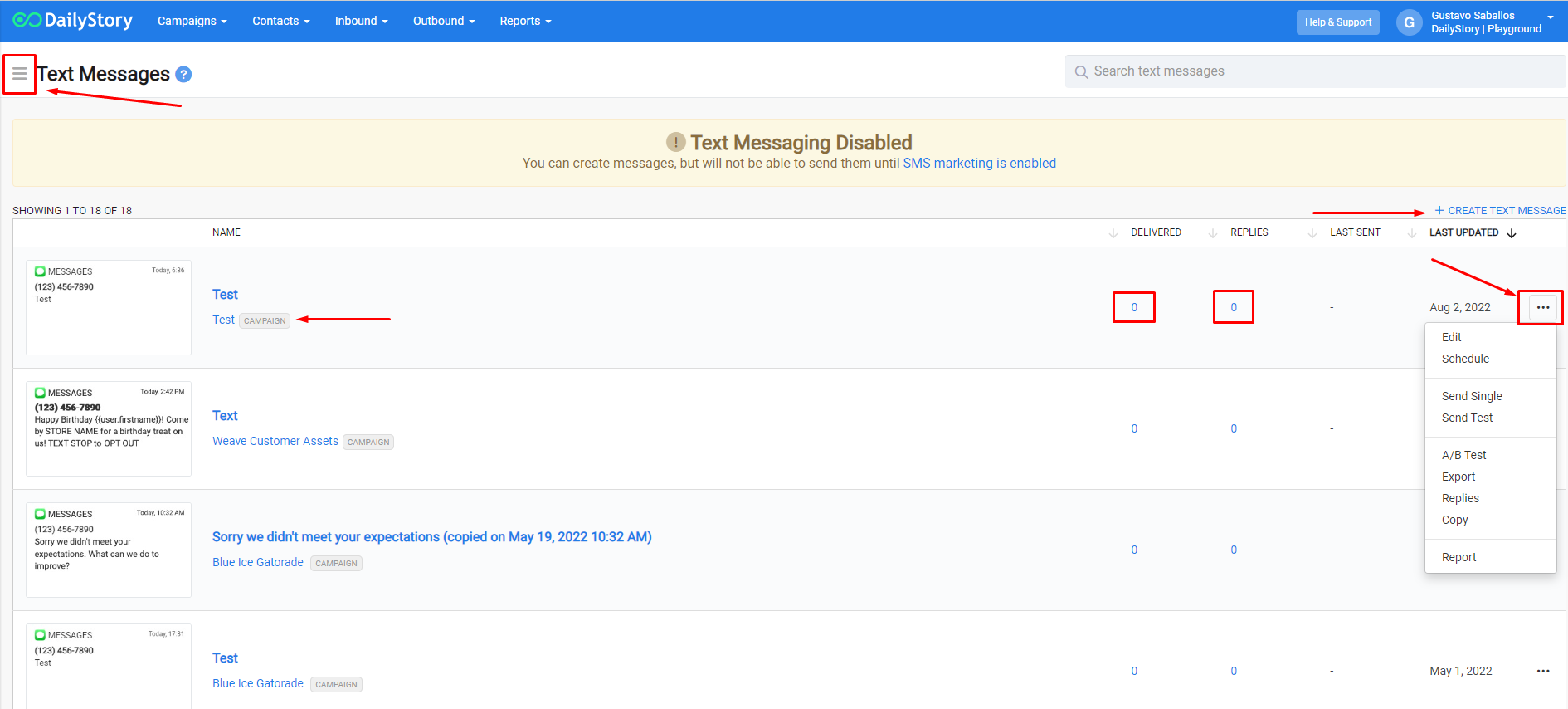
Your text messages page will display all of your active text messages. You can access the Text Messages Menu (3 lines/hamburger menu), column sort, create a new text message, access report data, and access the Advanced Options Menu (3 dots) see what campaign the message is a part of.
| MENU ITEM | DESCRIPTION |
| + Create | Create a new text message |
| + Send Single | Send a text message to one contact |
| Active | List of active text messages being used in a campaign |
| Paused | List of text messages whose attached campaign has been paused |
| Archive | List of text messages whose attached campaign was archived |
| Trash | List of text messages deleted in the last 7 days |
| Keywords | Create keywords to use in text message campaigns, social media ads, etc. |
| Reports | Reports for all text messages |
| Help & Feedback | Opens pop-up window for help with Text Messages |